
 Home
Home
How to Renew Membership?
You can easily renew a membership to maintain access to various benefits and services provided.
1. Navigate to Membership > Manage Memberships > Renew Membership.

The Renew Membership > Customer & Membership Type Suitelet is displayed.
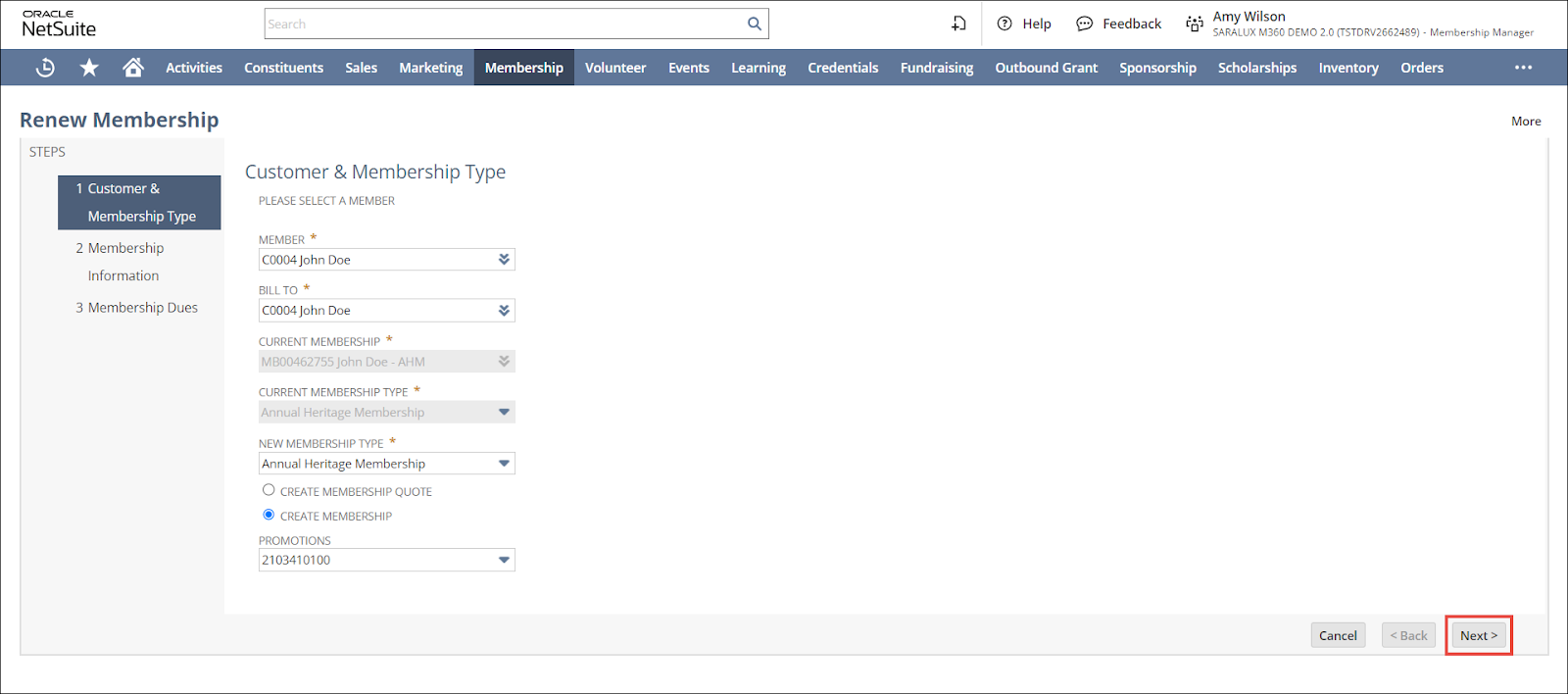
Note: All fields with an asterisk (*) are mandatory.
2. Select / enter the required values in fields.
Please refer to the following table for field names and their descriptions
|
Field
|
Description
|
|
MEMBER
|
Customer availing membership
|
|
BILL TO
|
Individual / corporate entity to whom the membership is billed to
|
|
CURRENT MEMBERSHIP
|
Specific name of the membership to which the member is currently enrolled in
This field is autopopulated from the existing membership data.
|
|
CURRENT MEMBERSHIP TYPE
|
A specific type of membership to which the member is currently enrolled in
This field is autopopulated from the existing membership data.
|
|
NEW MEMBERSHIP TYPE
|
New membership type to change the member from the currently enrolled membership type
|
|
CREATE MEMBERSHIP QUOTE/CREATE MEMBERSHIP
|
Whether to create a membership quote or a membership
|
|
PROMOTIONS
|
Marketing strategy affiliated with the new membership type
|
3. Click Next.
The Renew Membership > Membership Information Suitlet is displayed.
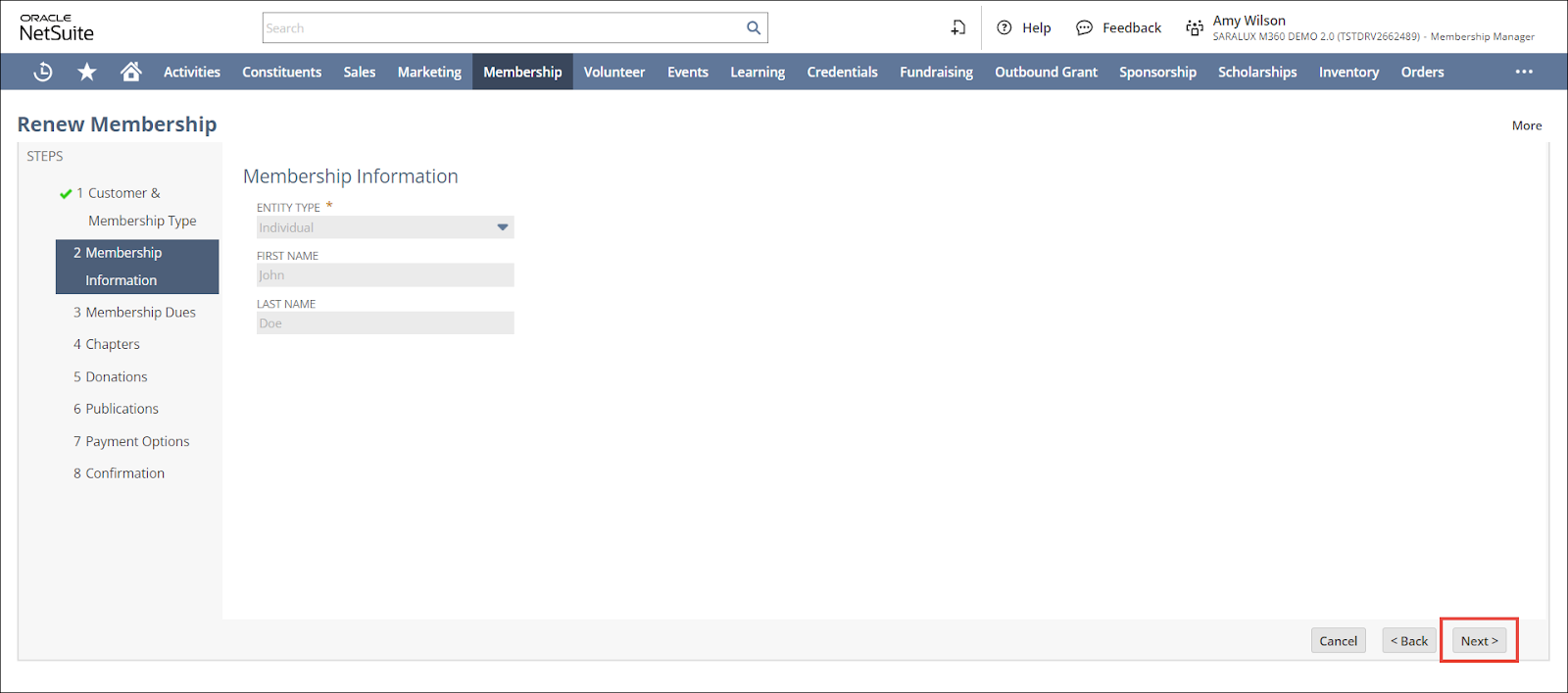
The Renew Membership > Membership Information Suitelet follows similar steps to those from the New Membership > Membership Information Suitelet for creating a membership. For more information, refer to How to Create a Membership Quote/Membership.