
 Home
Home
How to Download a Contribution Receipt?
You can download a contribution receipt.
1. Navigate to your My Portal > Dashboard > Contribution.
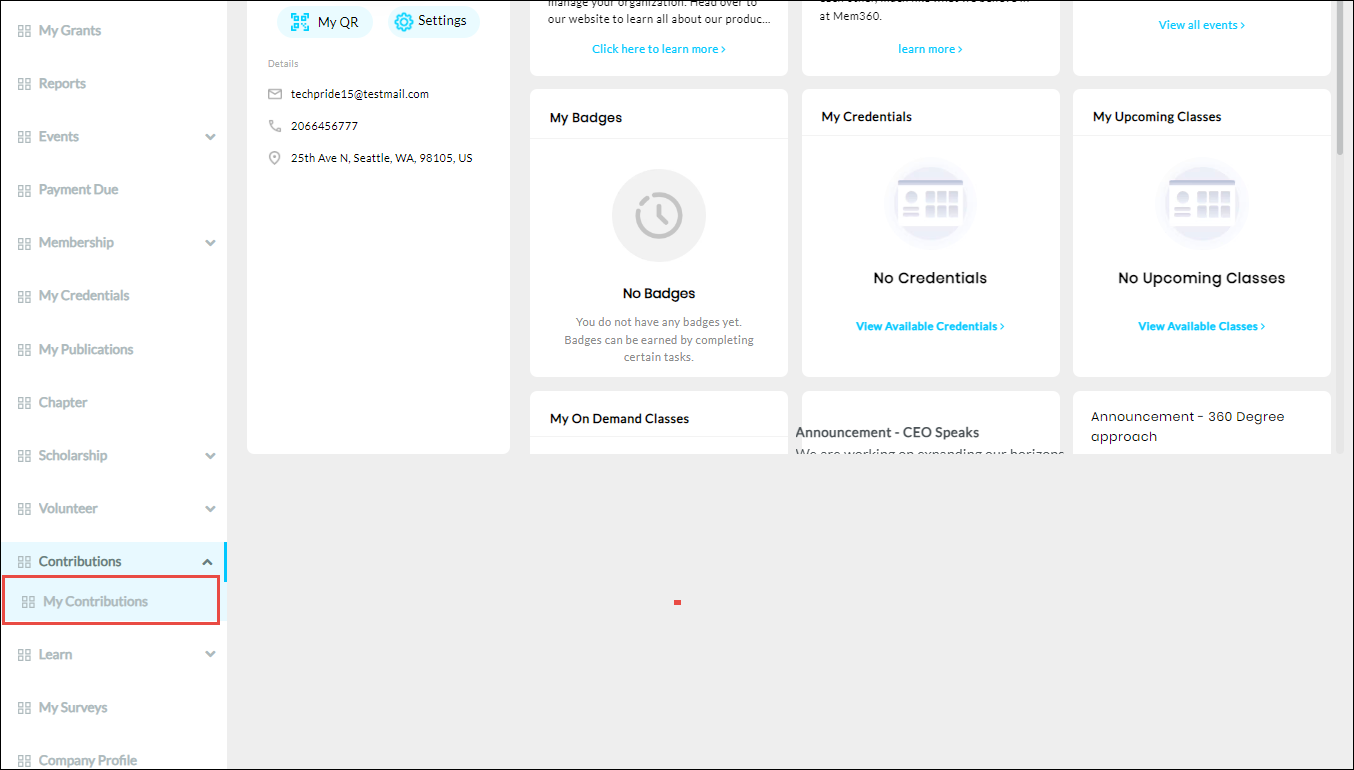
2. Click My Contribution from the Contributions dropdown list.
The Contribution History page is displayed.
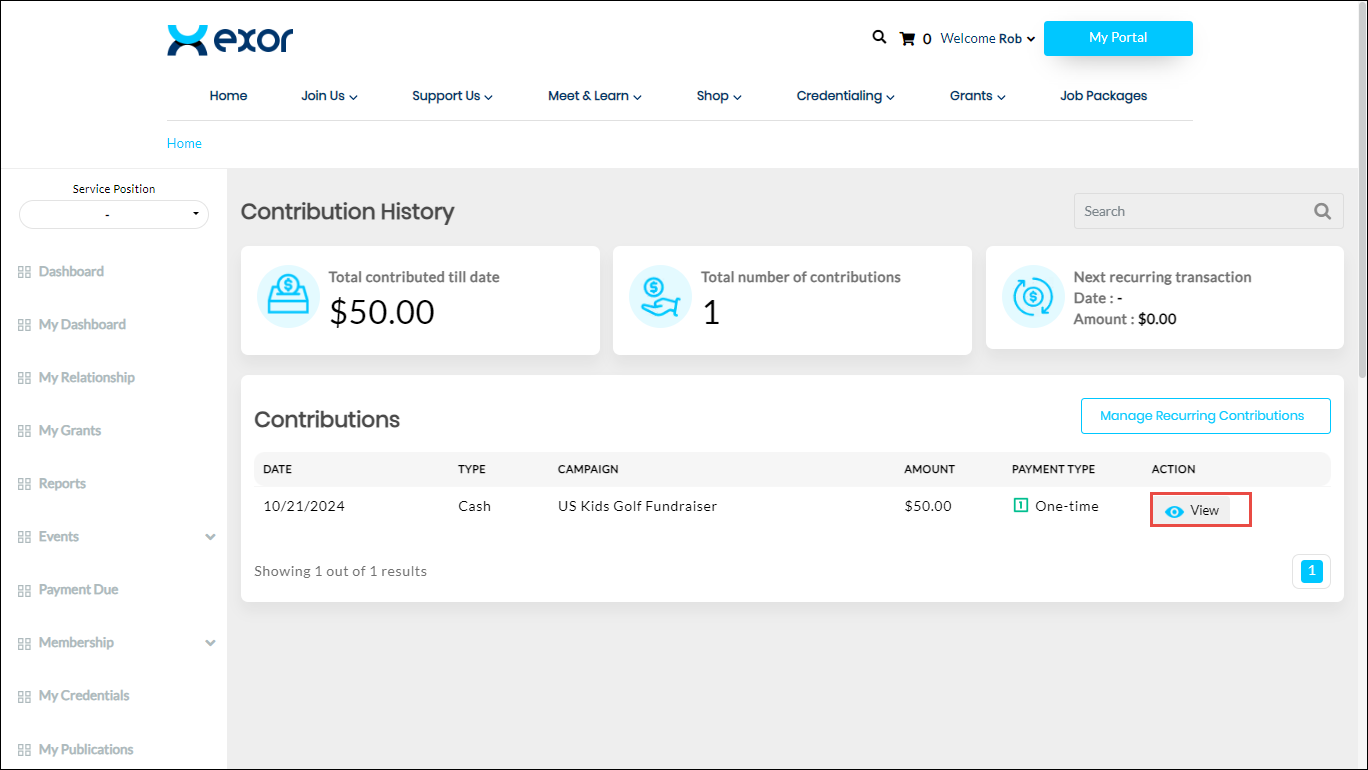
3. Click View.
The Contribution Details page is displayed.
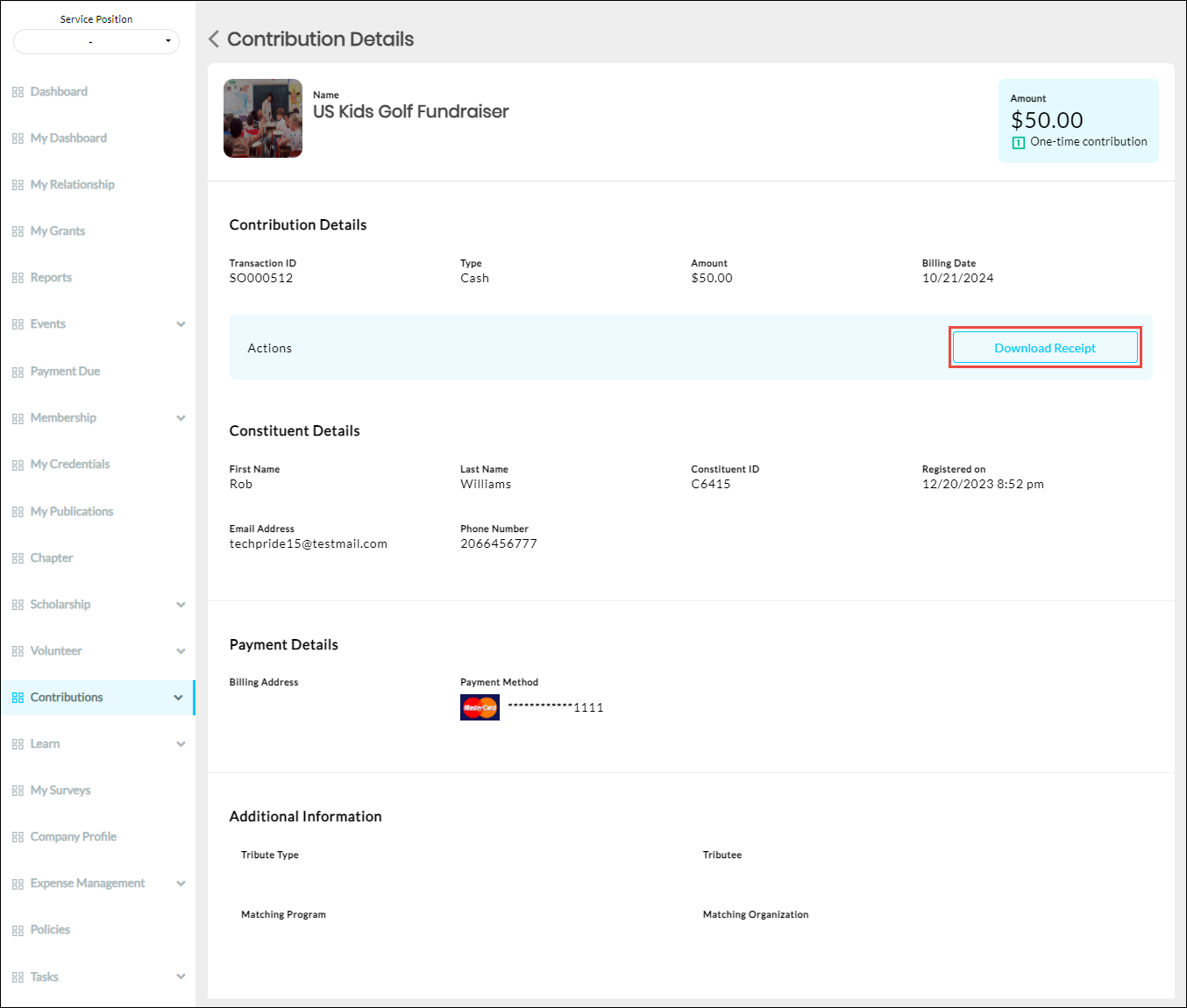
4. Click Download Receipt.
The receipt is downloaded to your system.