Home
Home
How to Manage Recurring Payment?
You can manage recurring payments by following the steps below.
1. Navigate to your My Portal > Dashboard > Contribution.
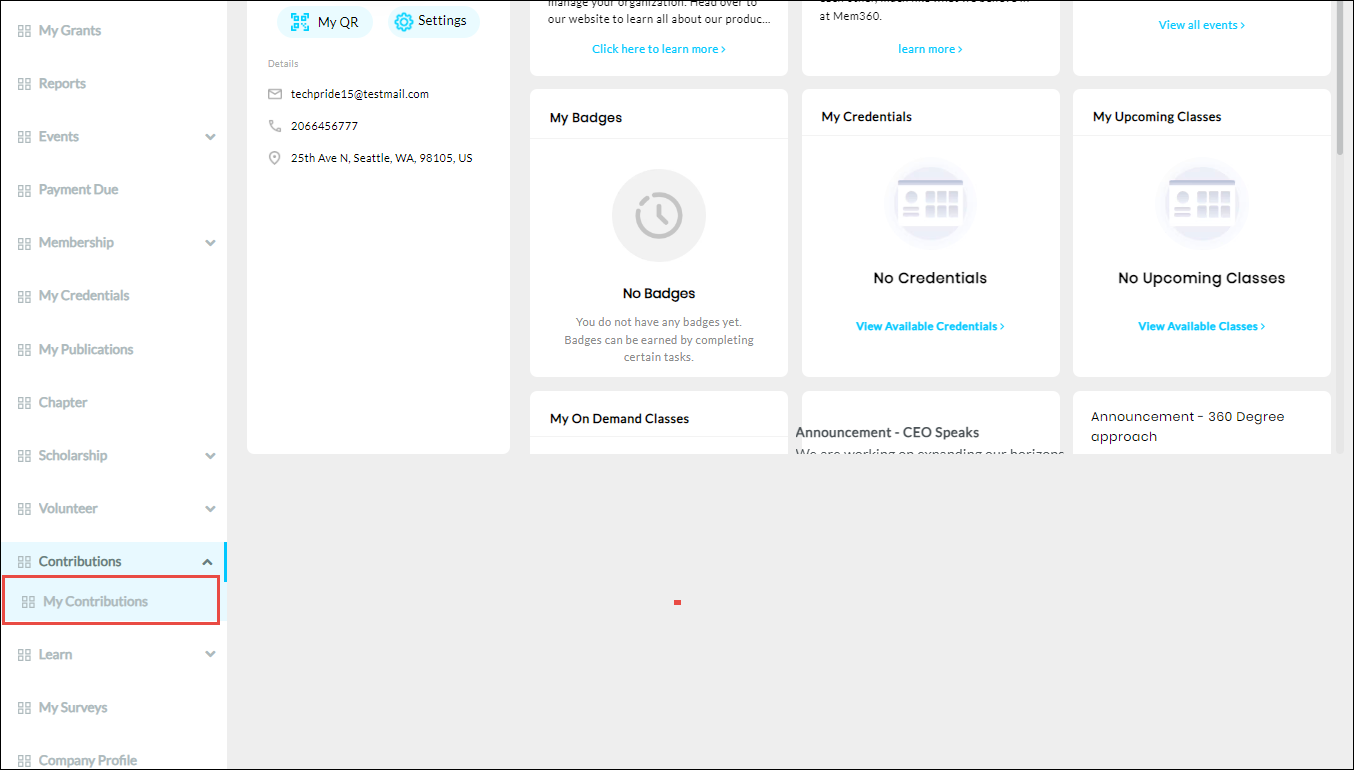
2. Click My Contribution from the Contributions dropdown list.
The Contribution History page is displayed.
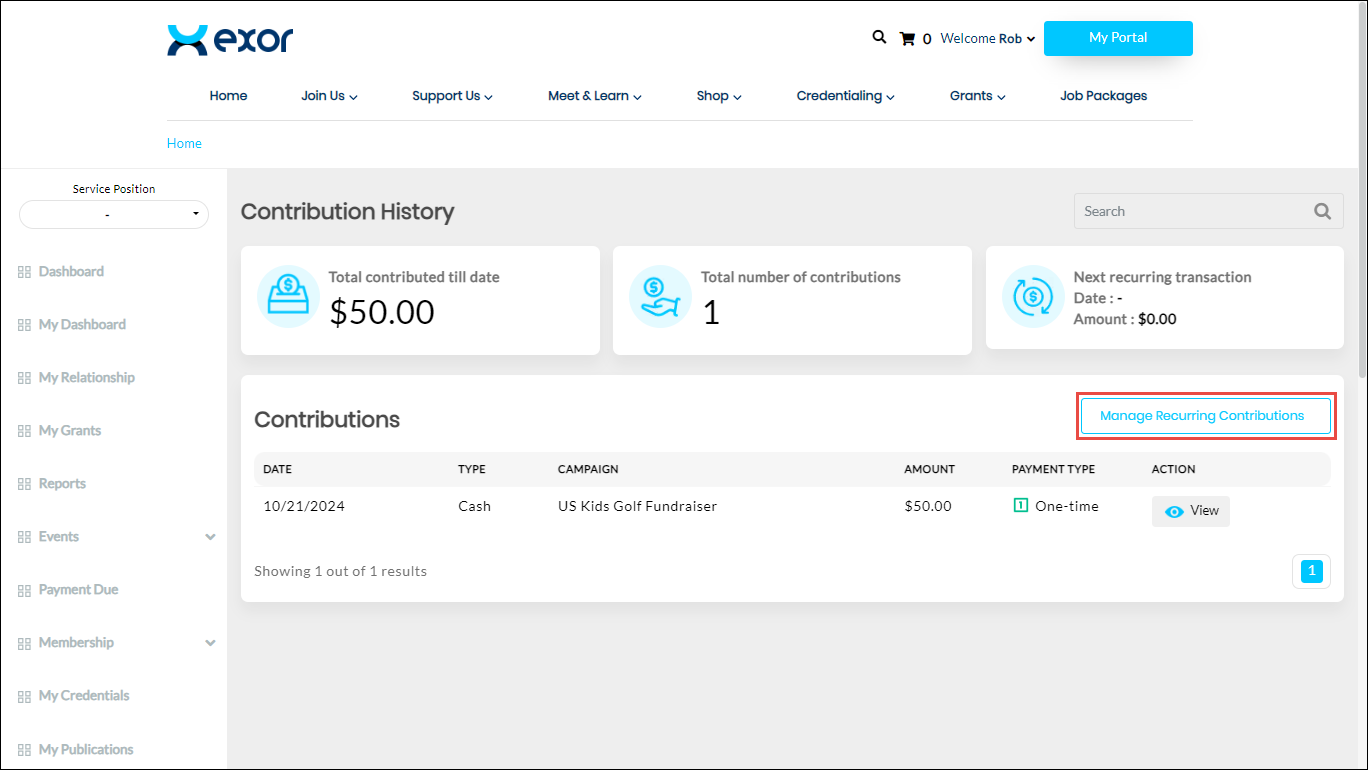
3. Click Manage Recurring Contributions.
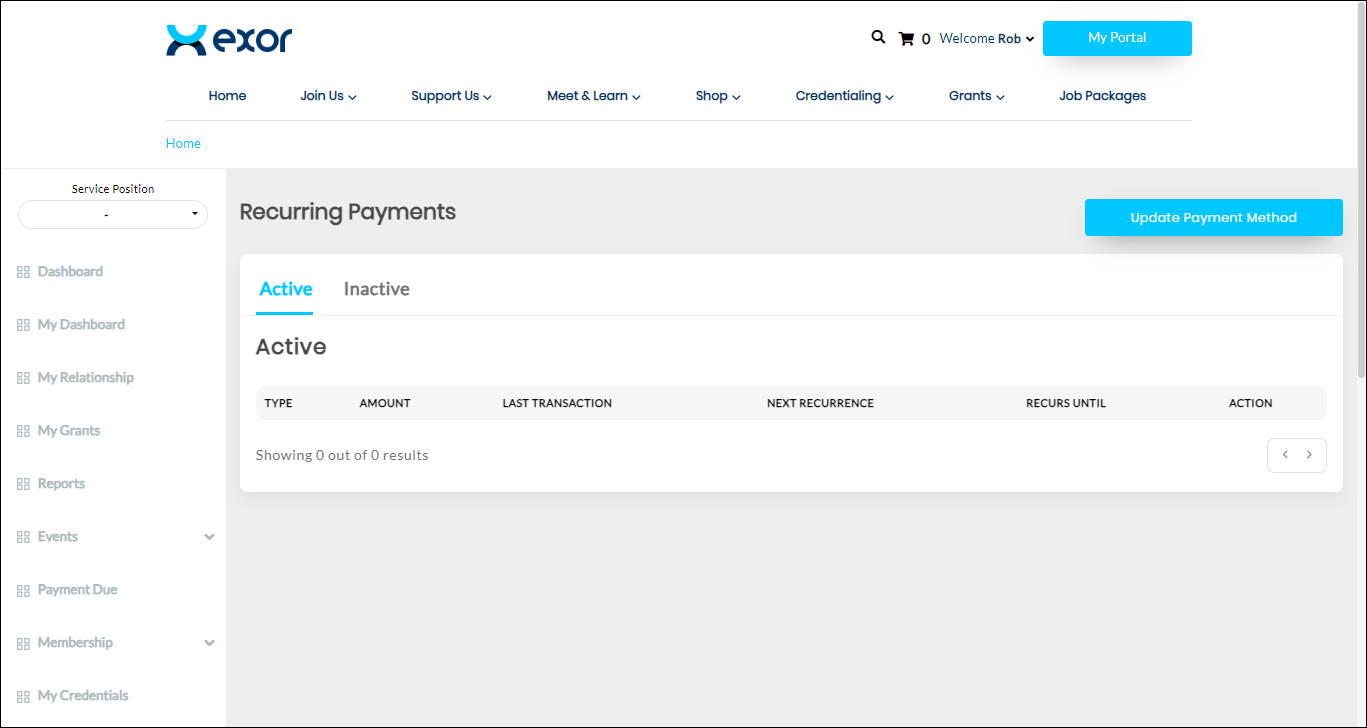
The Recurring Payments page is displayed.