
 Home
Home
How to Configure a Program Fund?
To setup a program fund, follow the steps below.
1. Navigate to Fundraising > Setup > Program Fund.
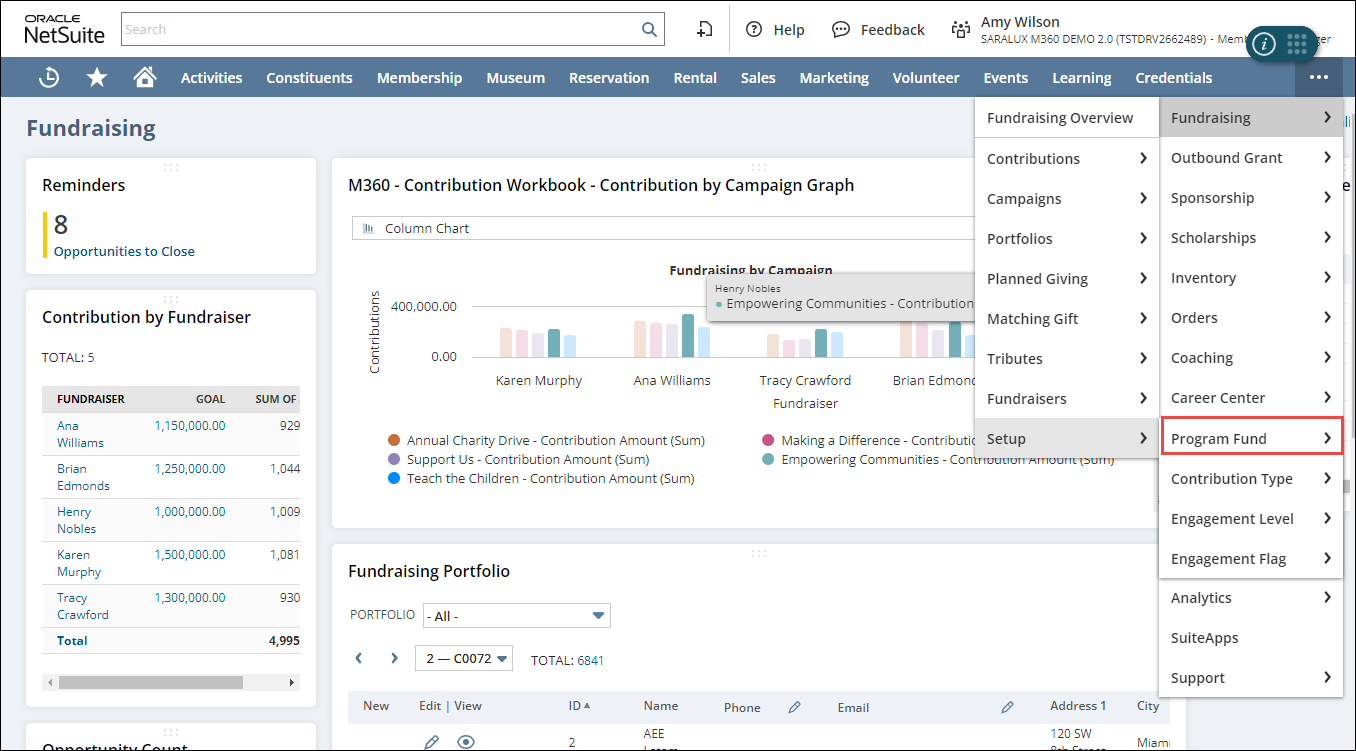
The Program Fund List page is displayed.
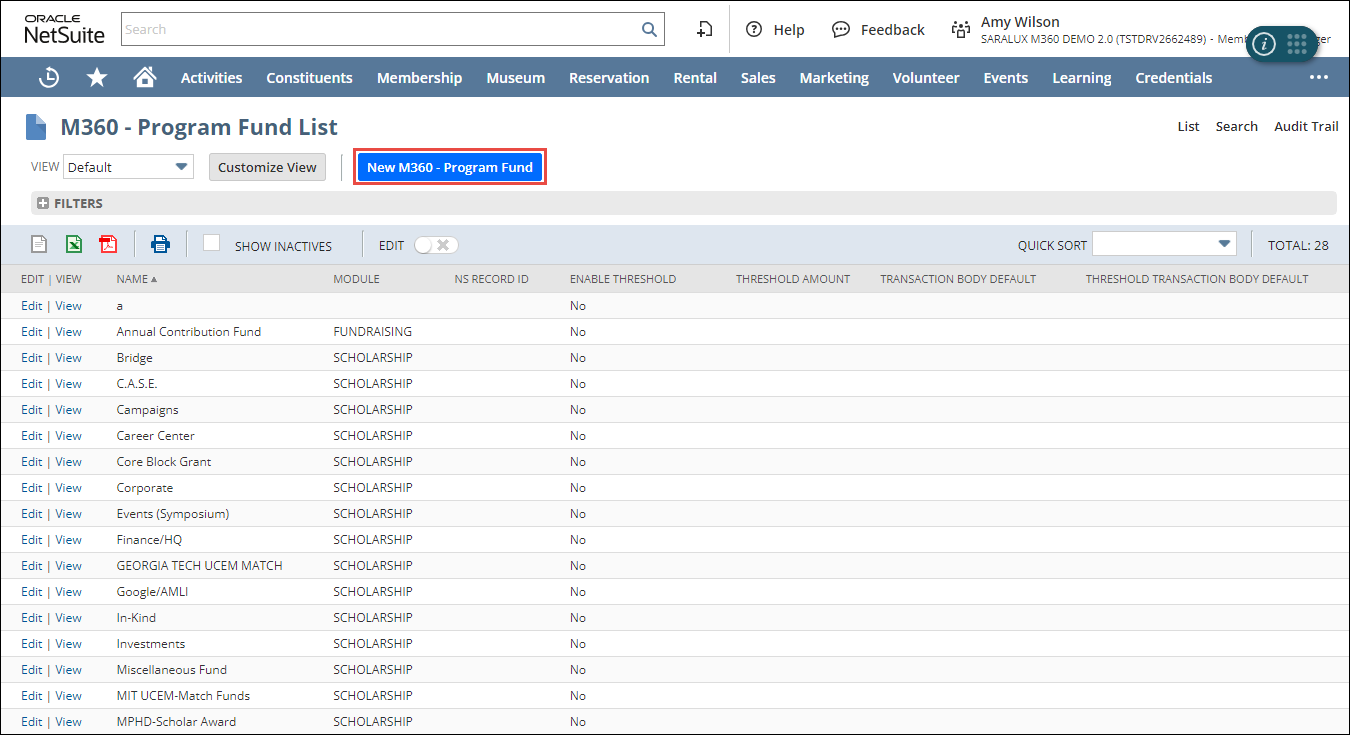
2. Click New M360 - Program Fund.
The M360 - Program Fund form is displayed.
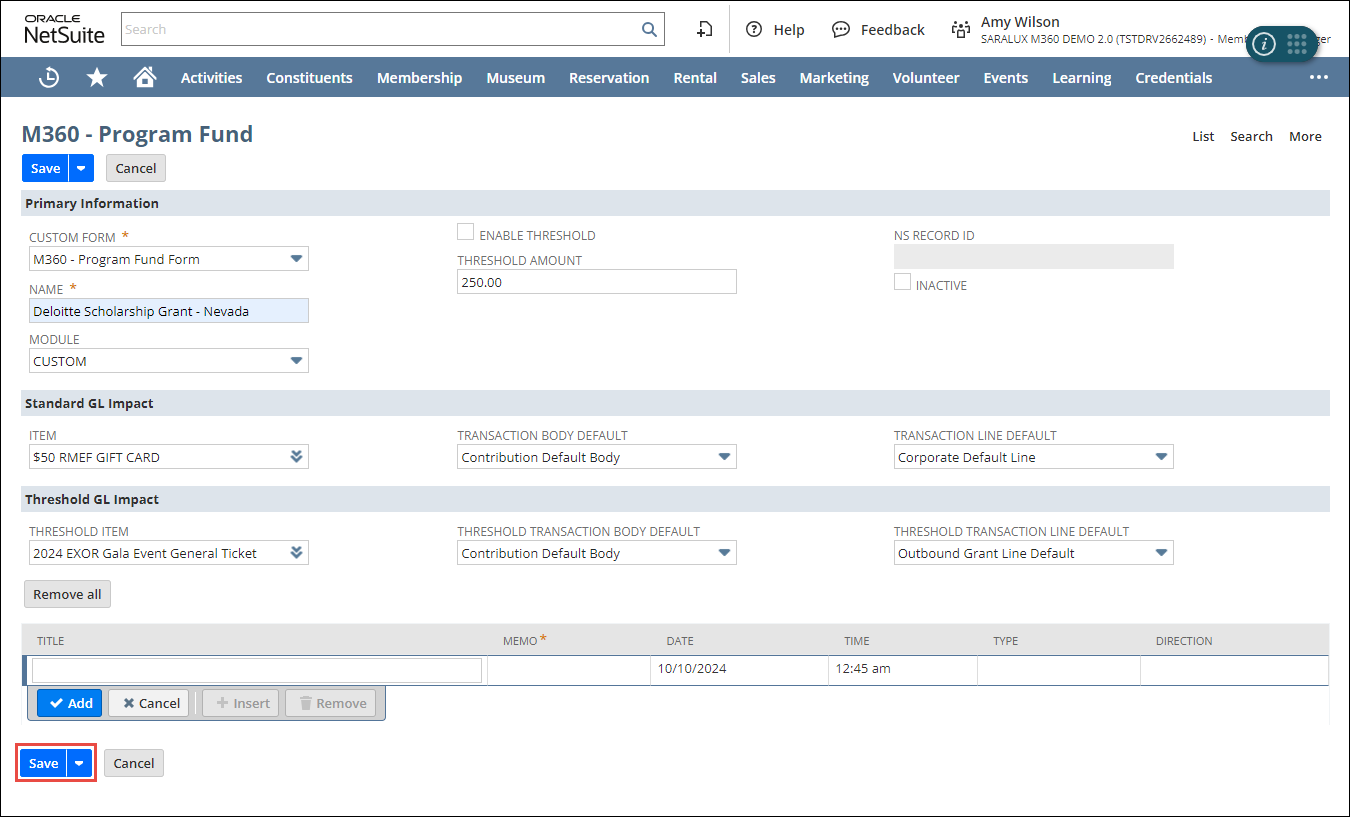
3. Enter or select the values of the fields as required. For more information, refer to the following sections:
4. Once all the required fields in these sections have been filled out, click Save.
The primary fund is configured.
Primary Information
The Primary Information section within the Program Fund form allows the setting up of essential details required regarding the program fund.

Please refer to the following table for field names and their descriptions.
Note: All the fields with an asterisk (*) are mandatory.
|
Field
|
Description
|
|
CUSTOM FORM
|
Preferred options available to customize the Program Fund form
By default, the M360-Program Fund Form is selected.
|
|
NAME
|
Name of the program fund
|
|
MODULE
|
Required module to associate it with this program fund
|
|
ENABLE THRESHOLD
|
Whether to enable the threshold feature
|
|
THRESHOLD AMOUNT
|
Minimum amount set for the program funding
|
|
NS RECORD ID
|
Unique NetSuite record ID associated with the program funding
|
|
INACTIVE
|
Whether to deactivate this program fund
|
Standard GL Impact
The Standard GL Impact section within the Program Fund form allows the setting up of essential details related to accounting and transaction management of the program fund.

Please refer to the following table for field names and their descriptions:
Note: All the fields with an asterisk (*) are mandatory.
|
Field
|
Description
|
|
ITEM
|
Netsuite product/service allowed in this program fund
|
|
TRANSACTION BODY DEFAULT
|
Default transaction details set in the transaction body
|
|
TRANSACTION LINE DEFAULT
|
Default values set for transactions related to this program fund
|
Threshold GL Impact
The Threshold GL Impact section within the Program Fund form allows you to ensure all financial activities related to fundraising are correctly recorded.

Please refer to the following table for field names and their descriptions:
Note: All the fields with an asterisk (*) are mandatory.
|
Field
|
Description
|
|
THRESHOLD ITEM
|
Netsuite product/service allowed in this program fund
|
|
THRESHOLD TRANSACTION BODY DEFAULT
|
Default setting for the body of threshold transactions associated with this fund
|
|
THRESHOLD TRANSACTION LINE DEFAULT
|
Default values set for threshold transactions related to this program fund
|