
 Home
Home
How to Add a Sponsorship Registration?
Adding sponsorship registration to an event allows organizations to participate as sponsors and networking opportunities with participants.
To add a new sponsorship registration, follow the steps below.
1. Navigate to Mem360 Dashboard and enter M360 - Sponsorship Registration in the Search field.
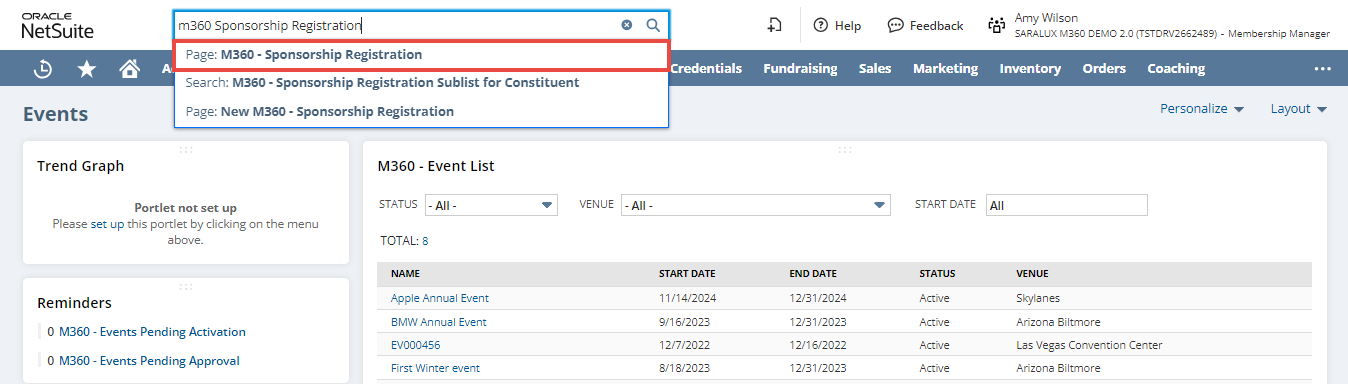
The M360 - Sponsorship Registration List page is displayed.
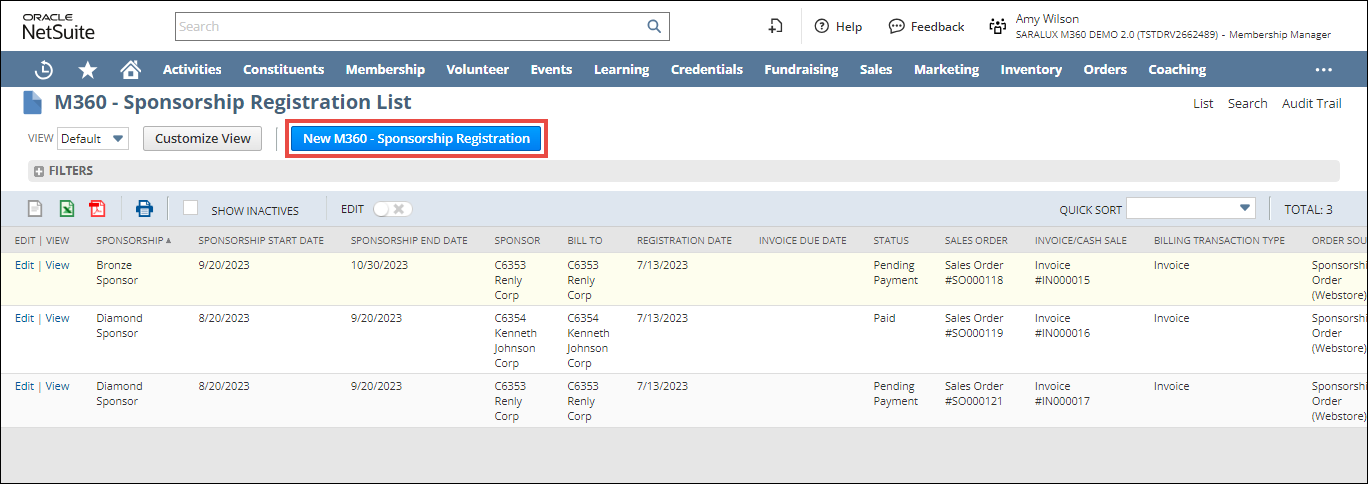
2. Click New M360 - Sponsorship Registration.
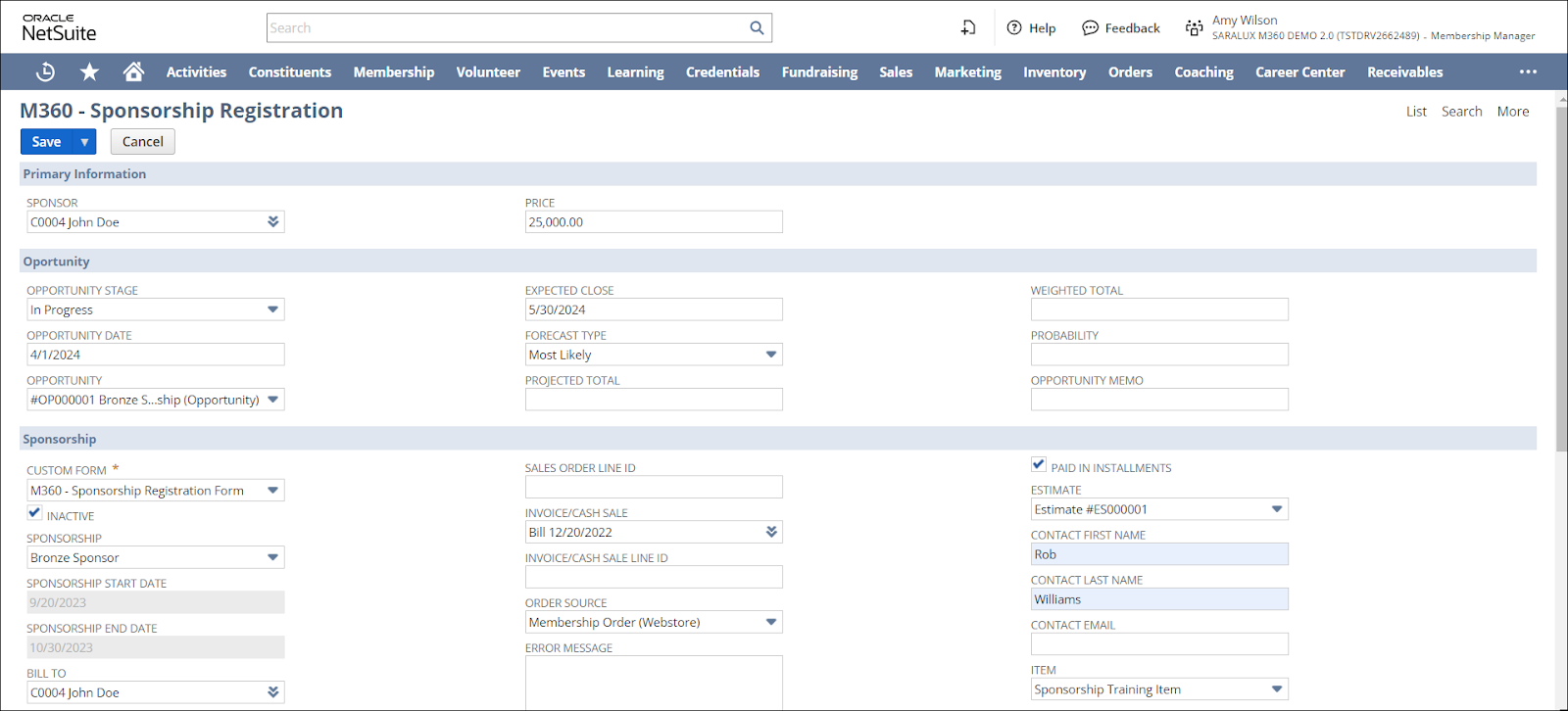
3. Enter/ select the values of the fields as required. Refer to the following sections for more information.
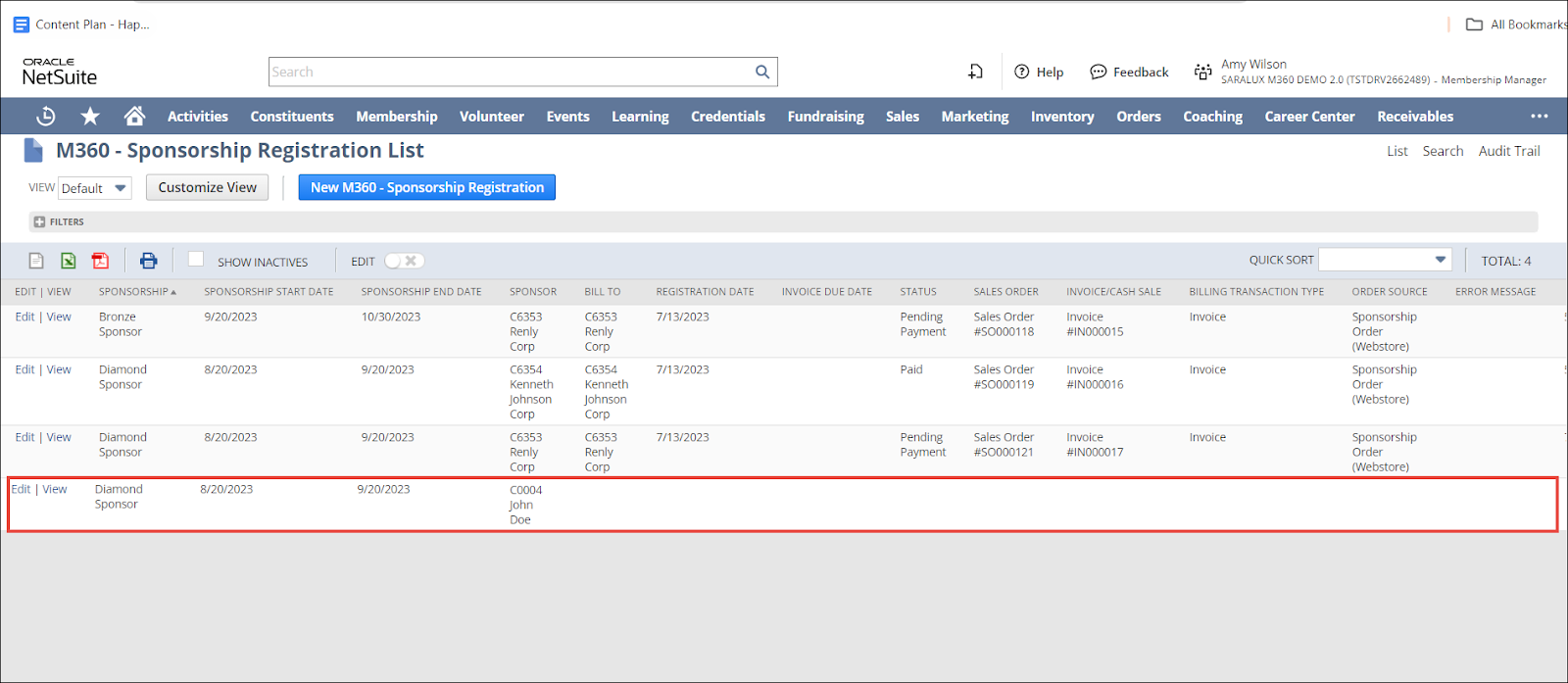
4. Click Save.
The sponsorship registration is successfully created.
Primary Information
The Primary Information section within the Sponsorship Registration form allows you to enter/ select the data in the associated fields, defining the data to be collected from the sponsors when officially registering and participating in sponsoring an event.

Note: All the fields with an asterisk (*) are mandatory.
-
Enter/ select the individual or organization that provides financial support for an event in the SPONSOR field.
-
Enter the amount charged for the sponsorship opportunity in the PRICE field.
Opportunity
The Opportunity section within the Sponsorship Registration form allows you to enter/ select the data in the associated fields, defining the data to be collected regarding the chance for the sponsors to sponsor an event.

Please refer to the table below for field names and descriptions:
Note: All the fields with an asterisk (*) are mandatory.
|
Fields
|
Description
|
|
OPPORTUNITY STAGE
|
The status of the sponsorship opportunity.
|
|
OPPORTUNITY DATE
|
The date when the sponsorship opportunity will be valid.
|
|
OPPORTUNITY
|
The appropriate event that allows the sponsors a chance to sponsor the event.
|
|
EXPECTED CLOSE
|
The expected timeframe when a sponsorship opportunity will end.
|
|
FORECAST TYPE
|
The method or approach used to predict the future of the sponsorship opportunity outcome. The available options are
|
|
PROJECTED TOTAL
|
The estimated total amount associated with a sponsorship opportunity over a specific period.
|
|
WEIGHTED TOTAL
|
The calculated sum of the opportunity based on the various factors having individual importance levels assigned to them.
|
|
PROBABILITY
|
The chance for the sponsorship registration to occur.
|
|
OPPORTUNITY MEMO
|
The description or note detailing the opportunities of the sponsorship registration
|
Sponsorship
The Sponsorship section within the Sponsorship Registration form allows you to enter/ select the data in the associated fields, defining the data to be collected regarding the sponsorship.
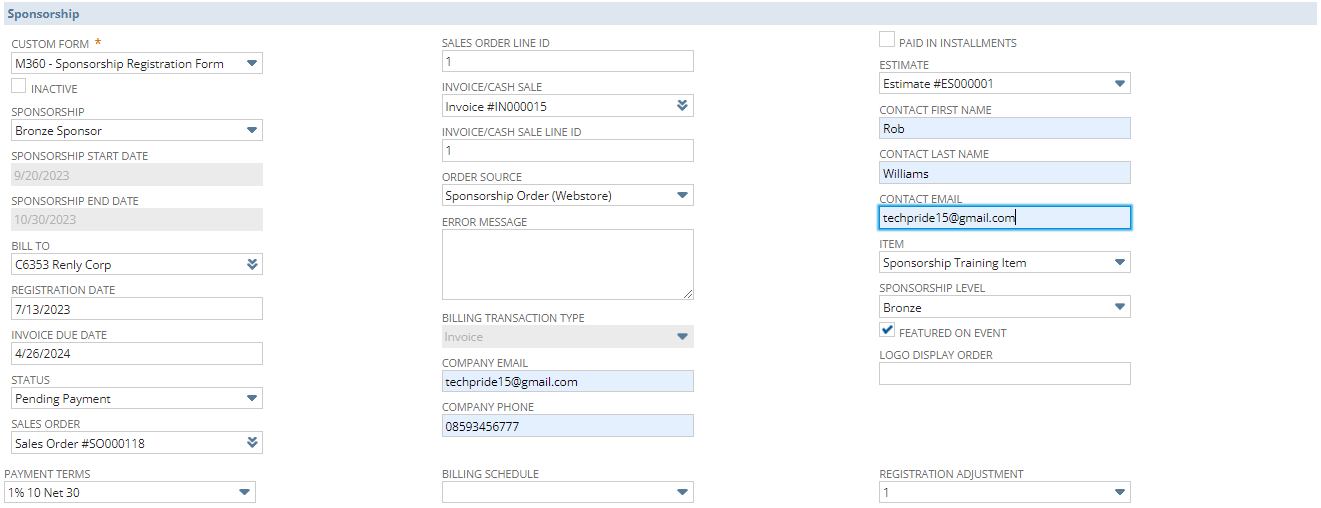
Please refer to the table below for field names and descriptions:
Note: All the fields with an asterisk (*) are mandatory.
|
Fields
|
Description
|
|
CUSTOM FORM
|
Preferred option to customize the sponsorship form.
|
|
INACTIVE
|
Enabling this feature indicates the deactivation of this sponsorship.
|
|
SPONSORSHIP
|
The name of the sponsorship.
|
|
SPONSORSHIP START DATE
|
The commencing date of the sponsorship.
|
|
SPONSORSHIP END DATE
|
The last date of the sponsorship.
|
|
BILL TO
|
The individual/ entity to whom the invoice is billed to
|
|
REGISTRATION DATE
|
The date of registration for this sponsorship.
|
|
INVOICE DUE DATE
|
The due date for payment of the invoice.
|
|
STATUS
|
The current status of the sponsorship.
|
|
SALES ORDER
|
The sales order number is auto-populated.
|
|
PAYMENT TERMS
|
The frequency at which the payments are due.
|
|
SALES ORDER LINE ID
|
The unique identifier of the item on the sales order that is associated with the sponsorship registration.
|
|
INVOICE/CASH SALE
|
The Invoice or Cash Sale receipt number is auto-populated.
|
|
INVOICE/CASH SALE LINE ID
|
The unique identifier of the item on the invoice or cash sale receipt that is associated with the sponsorship registration.
|
|
ORDER SOURCE
|
The origin or channel through which a purchase or order is initiated or generated
|
|
ERROR MESSAGE
|
The message displayed when an error occurs.
|
|
BILLING TRANSACTION TYPE
|
The category to which the financial activity belongs.
|
|
COMPANY EMAIL
|
The email of the company registering for the sponsorship.
|
|
COMPANY PHONE
|
The phone of the company registering for the sponsorship.
|
|
BILLING SCHEDULE
|
Schedule set up for billing in this sponsorship.
|
|
PAID IN INSTALLMENTS
|
The payment is made in installments for this sponsorship.
|
|
ESTIMATE
|
The detailed information regarding the sponsorship registration.
|
|
CONTACT FIRST NAME
|
The first name of the contact for the Sponsorship.
|
|
CONTACT LAST NAME
|
The last name of the contact for the Sponsorship.
|
|
CONTACT EMAIL
|
The email of the contact for the Sponsorship.
|
|
ITEM
|
The preferred NetSuite item added automatically on the selection of this sponsorship.
|
|
SPONSORSHIP LEVEL
|
The benefits offered to sponsors based on their level of financial contribution to the event.
|
|
FEATURED ON EVENT
|
The event receives special prominence or visibility compared to other events listed on the platform.
|
|
LOGO DISPLAY ORDER
|
The sequence in which the sponsor’s logo is displayed.
|
|
REGISTRATION ADJUSTMENT
|
The sequence or order in which the sponsorship registration is modified.
|