
 Home
Home
How to Set Up an Outbound Grant Template Task?
You can set up a predefined template for handling grant-related tasks through the following steps.
1. Navigate to Mem360 Dashboard and enter M360 - Outbound Grant Template Task in the Search field.
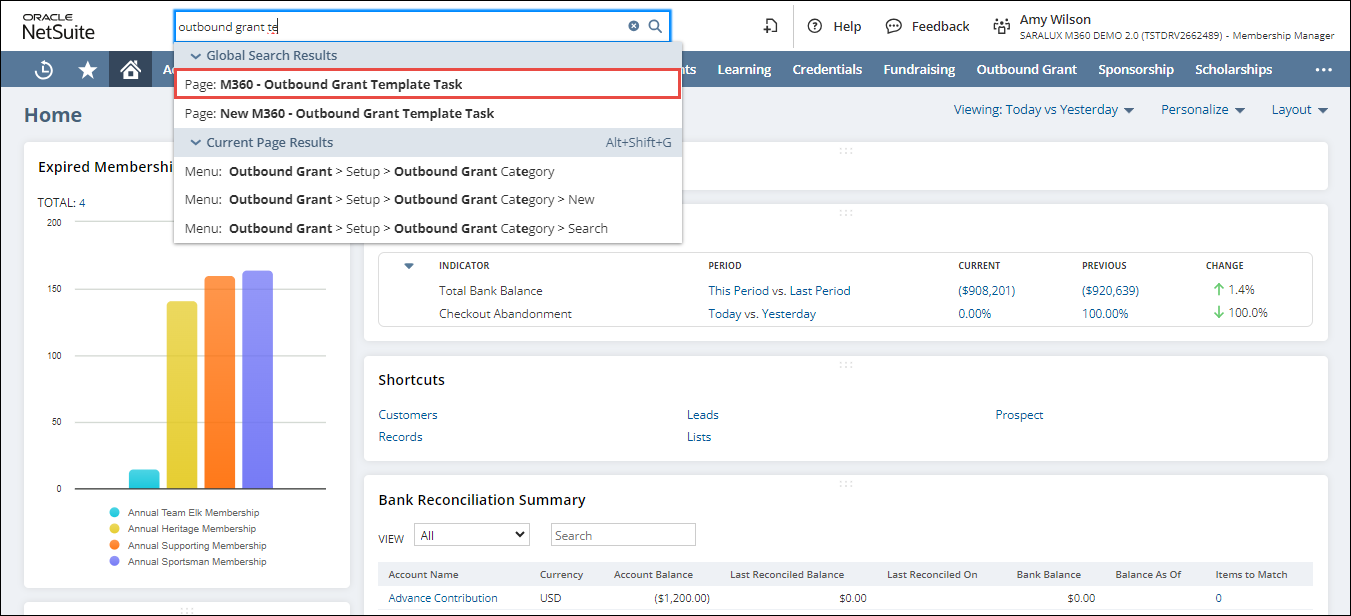
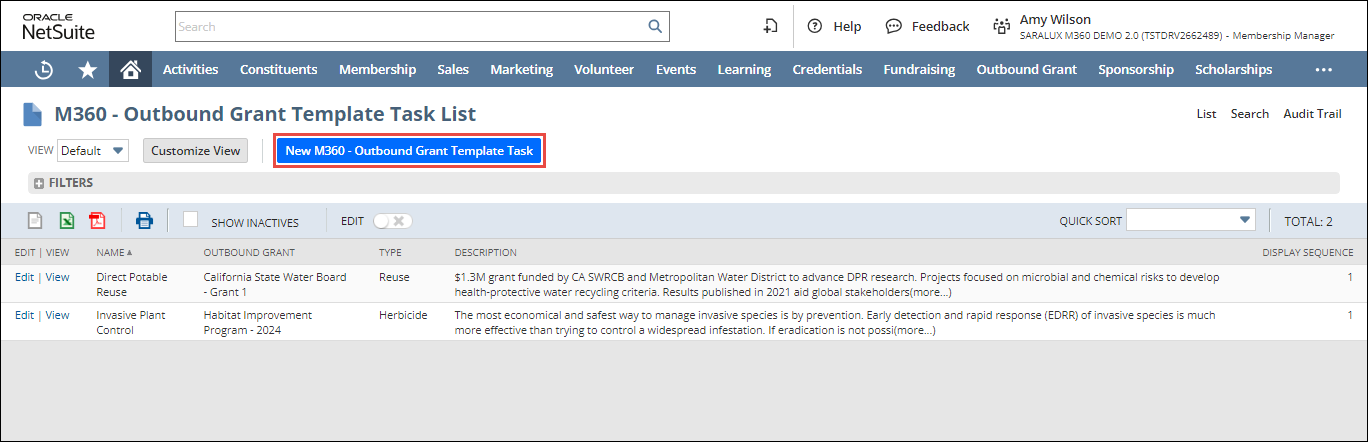
The M360 - Outbound Grant Template Task List page is displayed.
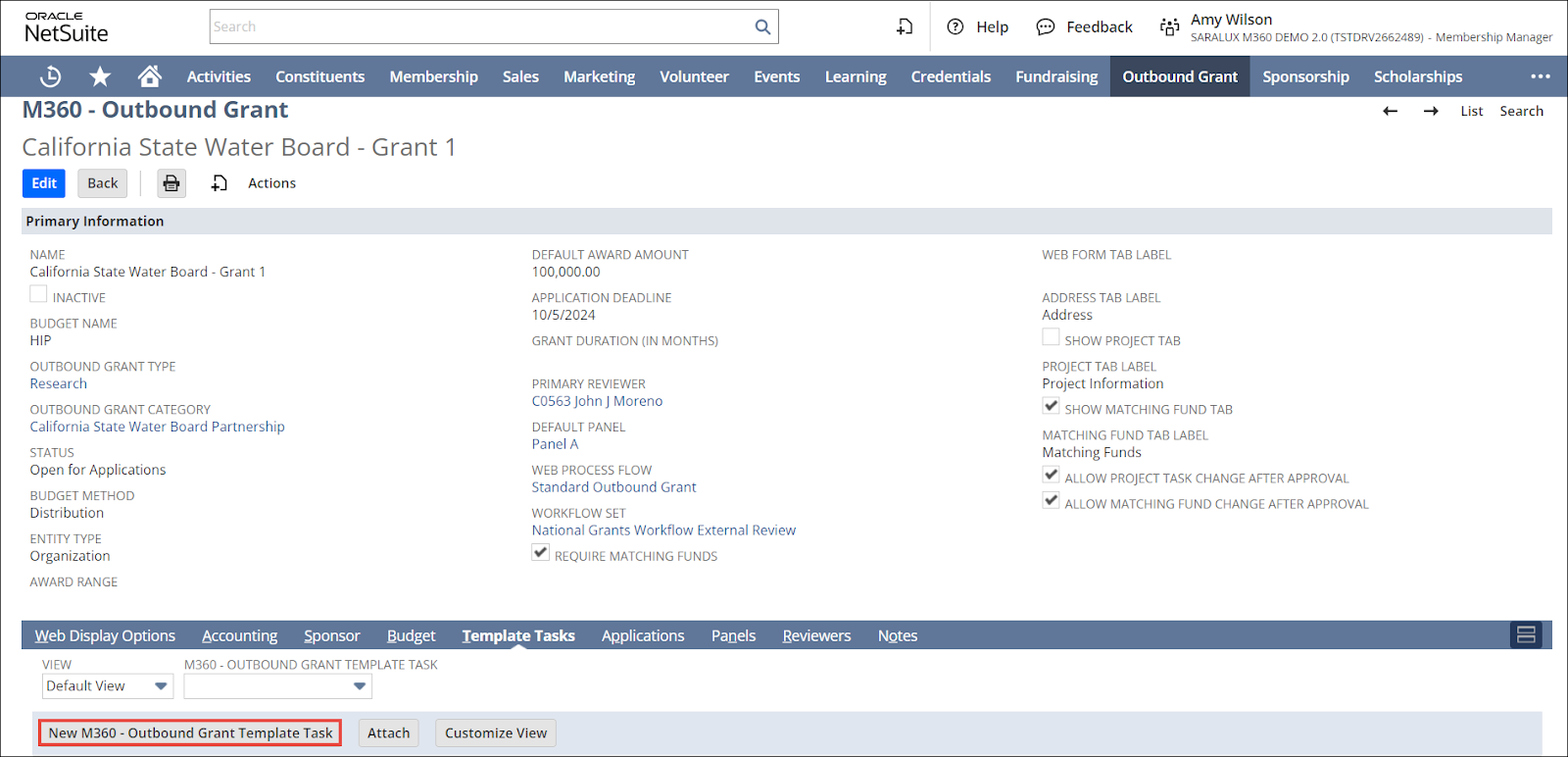
Note: You can alternatively create a new template task from an Outbound Grant page by navigating to Template Task and clicking New M360 - Outbound Grant Template Task as illustrated in the image below.
2. Click New M360 - Outbound Grant Template Task.
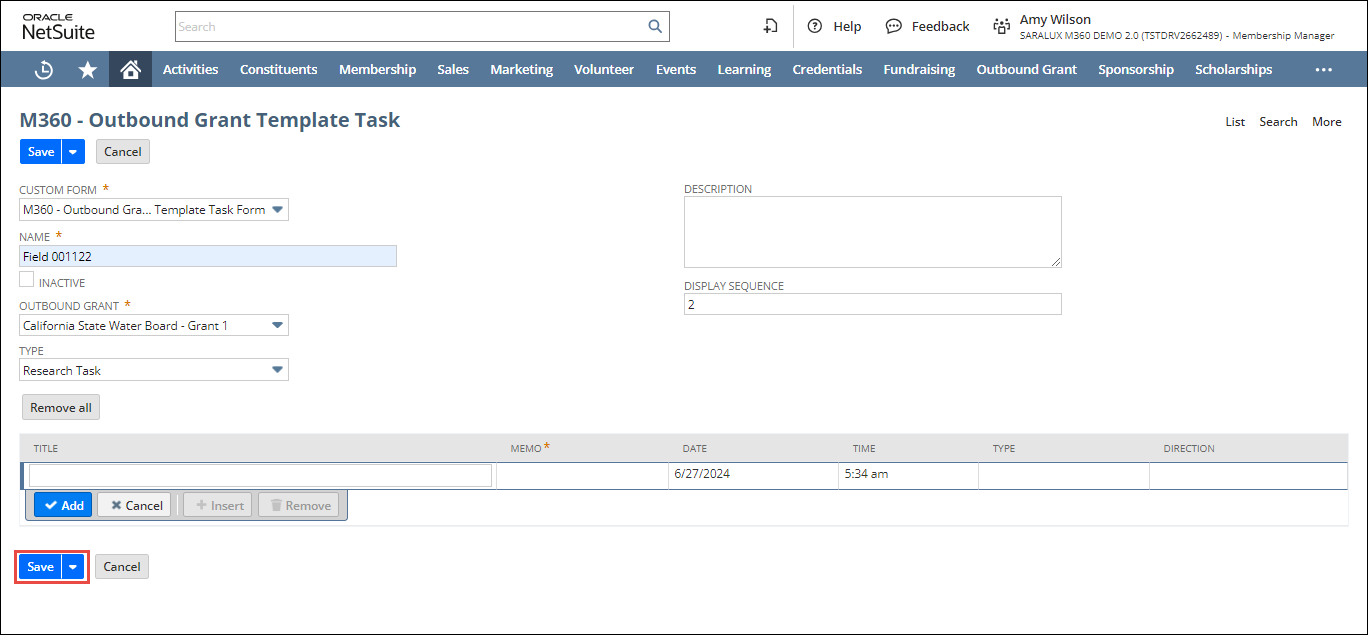
3. Enter or select the required values in the fields.
Please refer to the table below for field names and their descriptions.
Note: All the fields with an asterisk (*) are mandatory.
|
Field
|
Description
|
|
CUSTOM FORM
|
Preferred options available to customize the Outbound Grant Template Task form
By default, the M360 - Outbound Grant Template Task Form is selected.
|
|
NAME
|
Name of the outbound grant template task
|
|
INACTIVE
|
Deactivates this outbound grant template task
|
|
OUTBOUND GRANT
|
Outbound Grant associated with this template task
|
|
TYPE
|
Classification to which the grant template task belongs
|
|
DESCRIPTION
|
Concise overview of the outbound grant
|
|
DISPLAY SEQUENCE
|
Default order of task template appearance on the outbound grant
|
5. Click Save.
The outbound grant template task is successfully created.