
 Home
Home
How to View a Campaign in Detail?
To view a campaign in detail, follow the steps below.
1. Navigate to My Portal > Support Us > Donation and click Ways to Contribute.
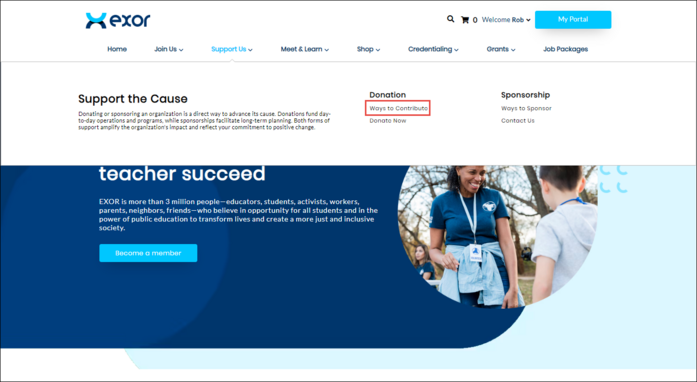
The All Campaigns page is displayed.

2. Click the campaign you wish to view.
The selected Campaign page is displayed.

Here, you can view the campaign specifications and donation types, allowing you to contribute to any event within the campaign. For more information, refer to How to Donate for a Campaign.