
 Home
Home
How to Donate for a Campaign?
To donate for a campaign, follow the steps below.
1. Navigate to Support Us > Donation and click Ways to Contribute.
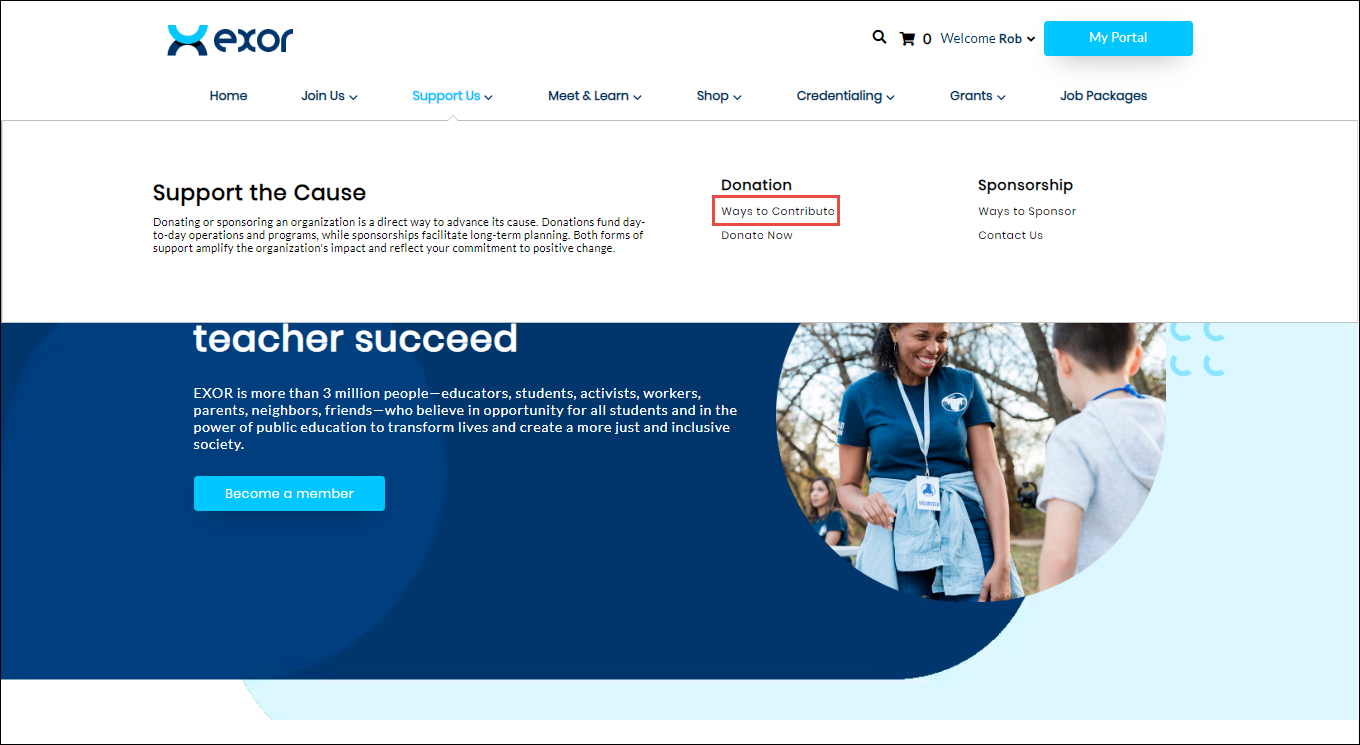
The Campaigns page is displayed.

2. Click the campaign you wish to donate.
The selected Campaign page is displayed.
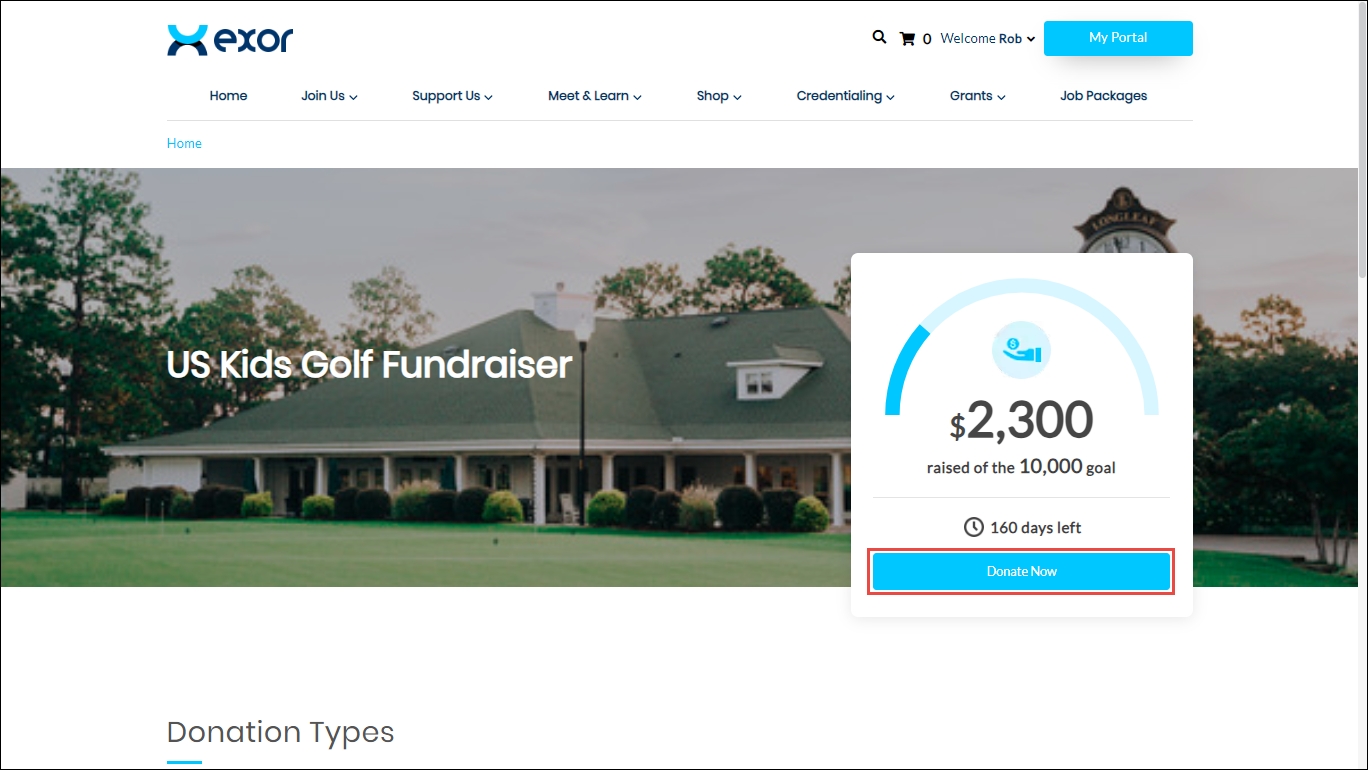
3. Click Donate Now.
The Contribution Amount section of the Checkout wizard is displayed.
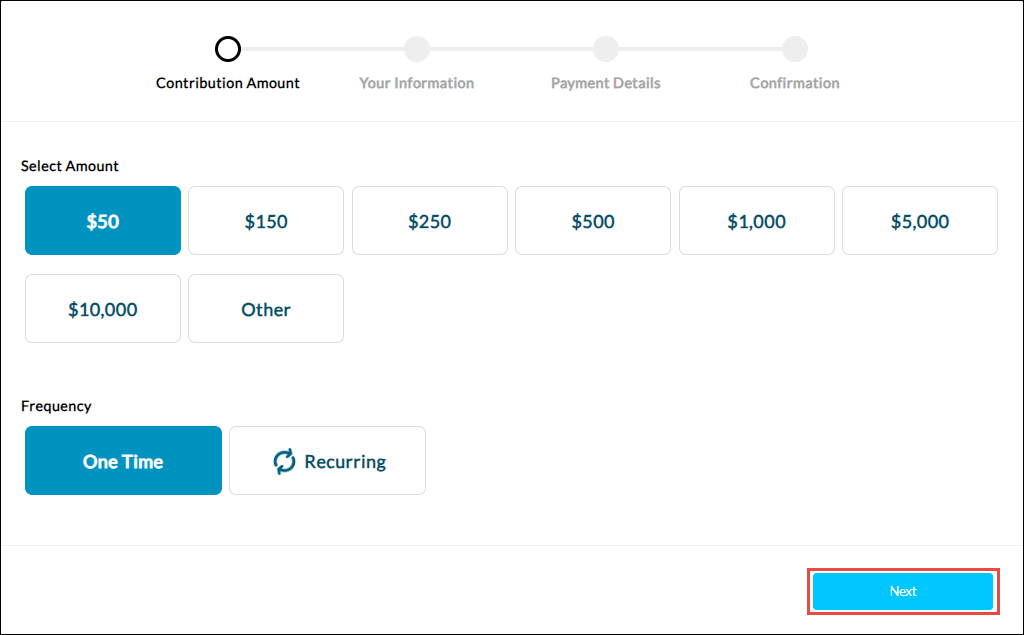
4. Select the amount for the campaign from the Select Amount options.
5. Select the payment frequency for the campaign from the Frequency options. The available options are One Time or Recurring.
6. Click Next.
The Your Information section of the Checkout wizard is displayed.
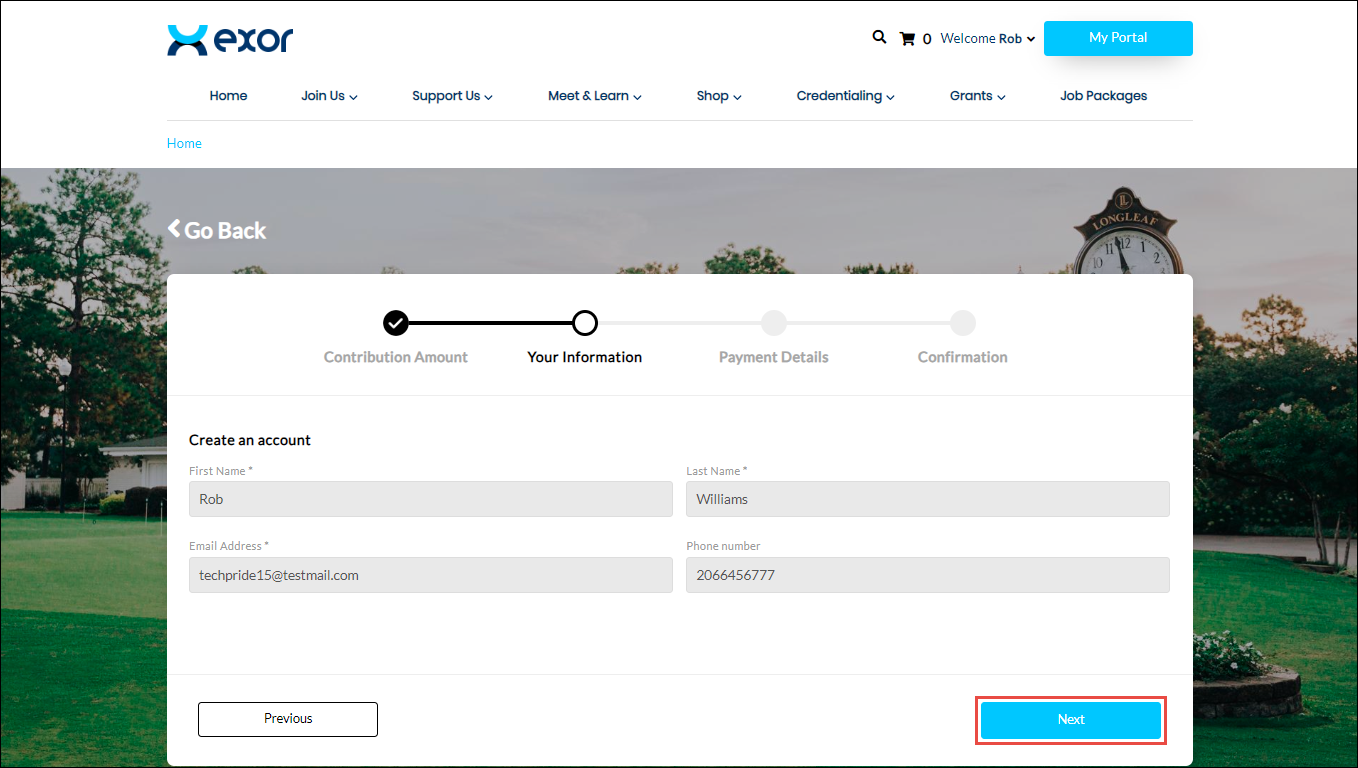
Note: All the fields with an asterisk (*) are mandatory.
7. Enter or select the required values in the fields. Please refer to the following table for field names and their descriptions.
|
Field
|
Description
|
|
First Name
|
Contributor’s first name
|
|
Last Name
|
Contributor’s last name
|
|
Email Address
|
Contributor’s email address
|
|
Phone Number
|
Contributor’s phone number
|
8. Click Next.
The Payment Details section of the Checkout wizard is displayed.
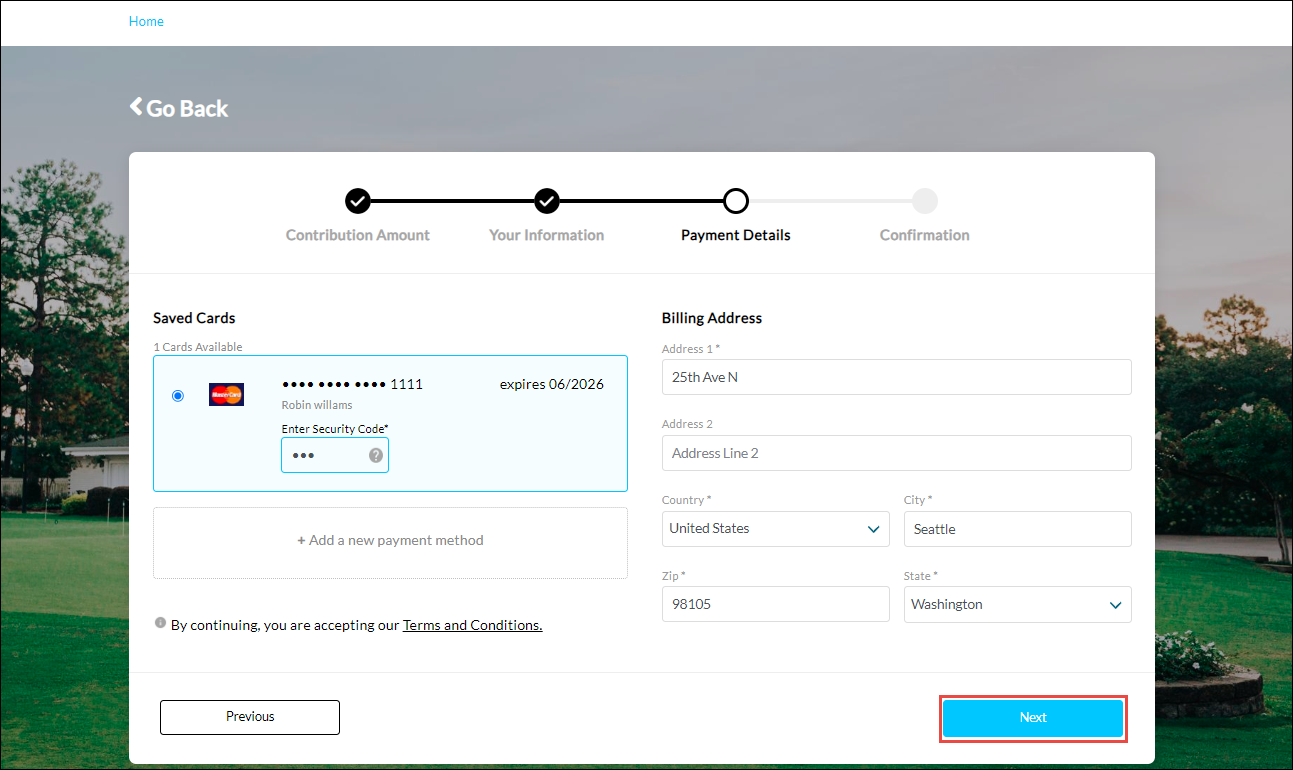
The steps to enter the details in the Payment Details section are similar to those while making a payment on the My Portal page. For more information, refer to How to Make a Payment on the My Portal Page.
9. Click Next.
The Confirmation page is displayed.
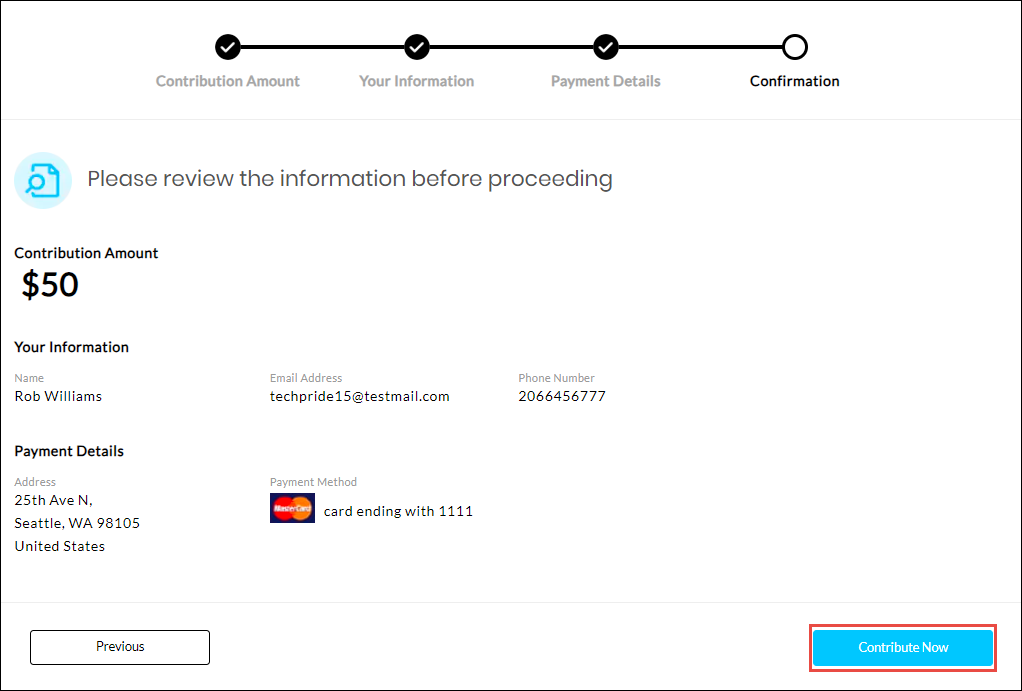
10. Click Contribute Now.

The contribution is successfully saved.