
 Home
Home
How to Set Up a Sort Field?
Setting up sort fields allows you to easily search and manage a specific event.
To create a sort field for an event, follow the steps below.
1. Navigate to Mem360 Dashboard and enter M360 - Sort in the Search field.
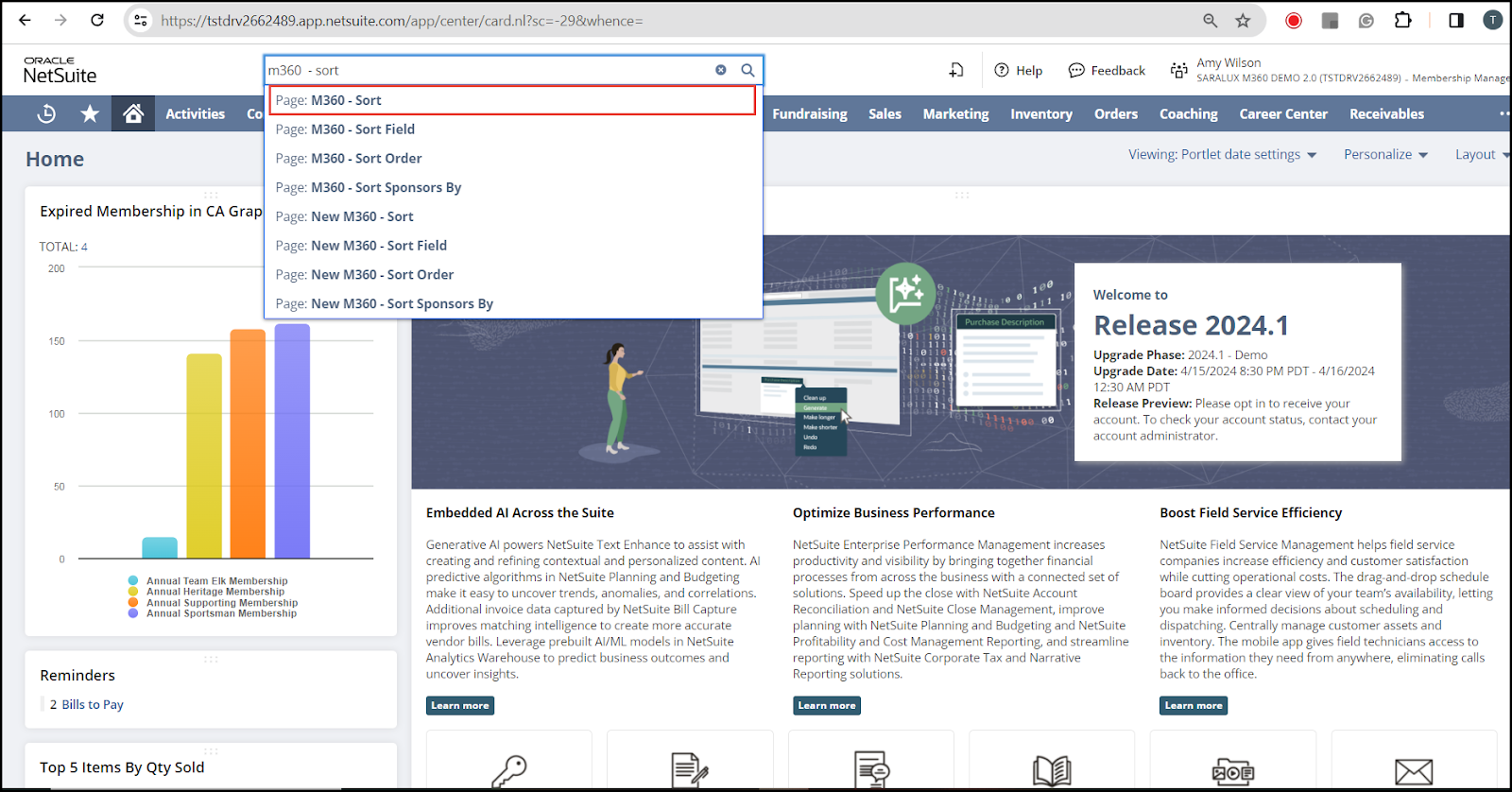
The M360 - Sort List page is displayed.
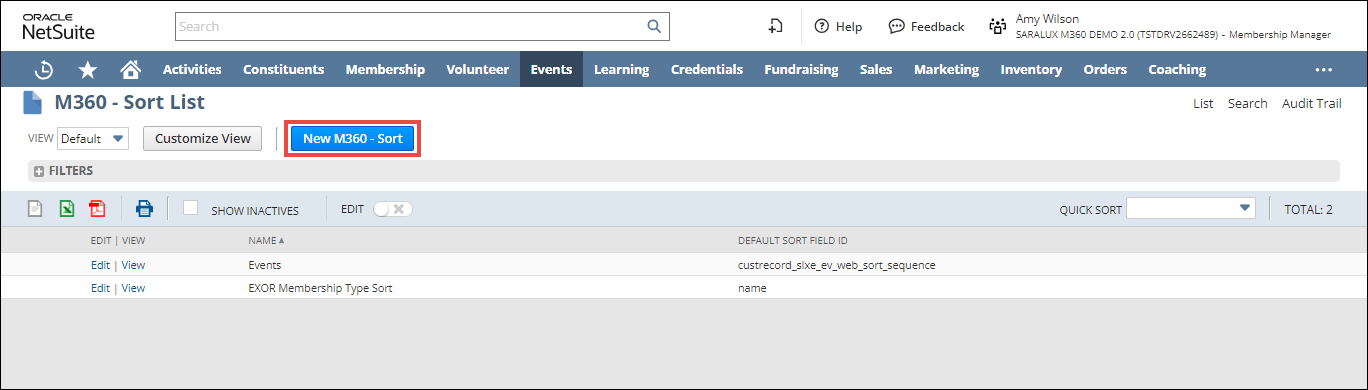
2. Click New M360 - Sort.
The M360 - Sort form is displayed.
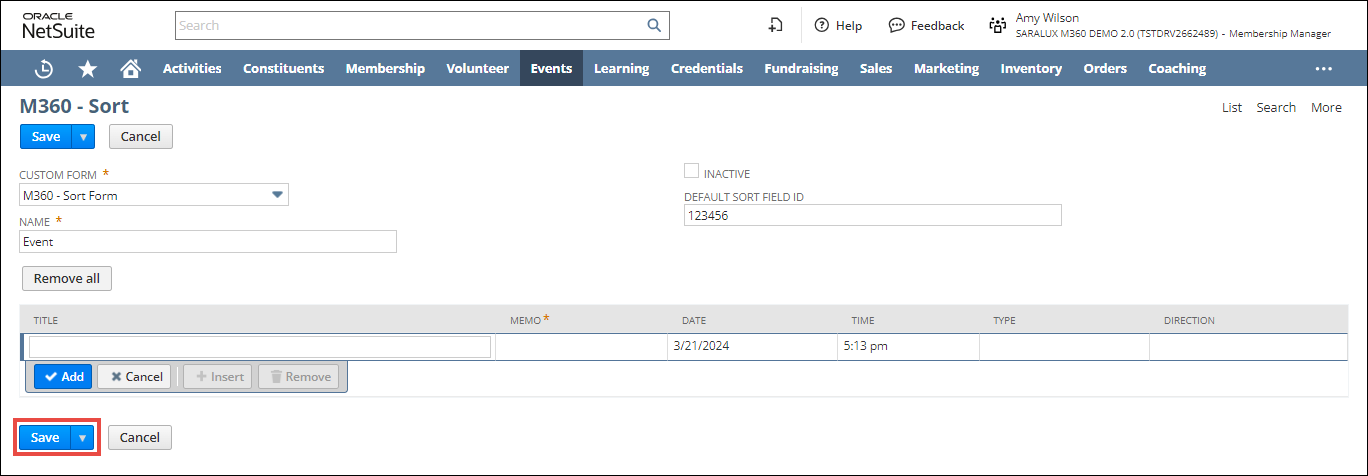
3. Enter/ select the values of the fields as required.
Please refer to the table below for more information on field names and descriptions.
|
Fields
|
Description
|
|
CUSTOM FORM
|
Preferred option to customize the Sort form.
|
|
NAME
|
The name for the sort field.
|
|
INACTIVE
|
Enabling this feature indicates the deactivation of this sort field.
|
|
DEFAULT SORT FIELD ID
|
The field ID by which data is sorted by default when a webpage or application loads.
|
4. Click Save.
The sort field is successfully created.
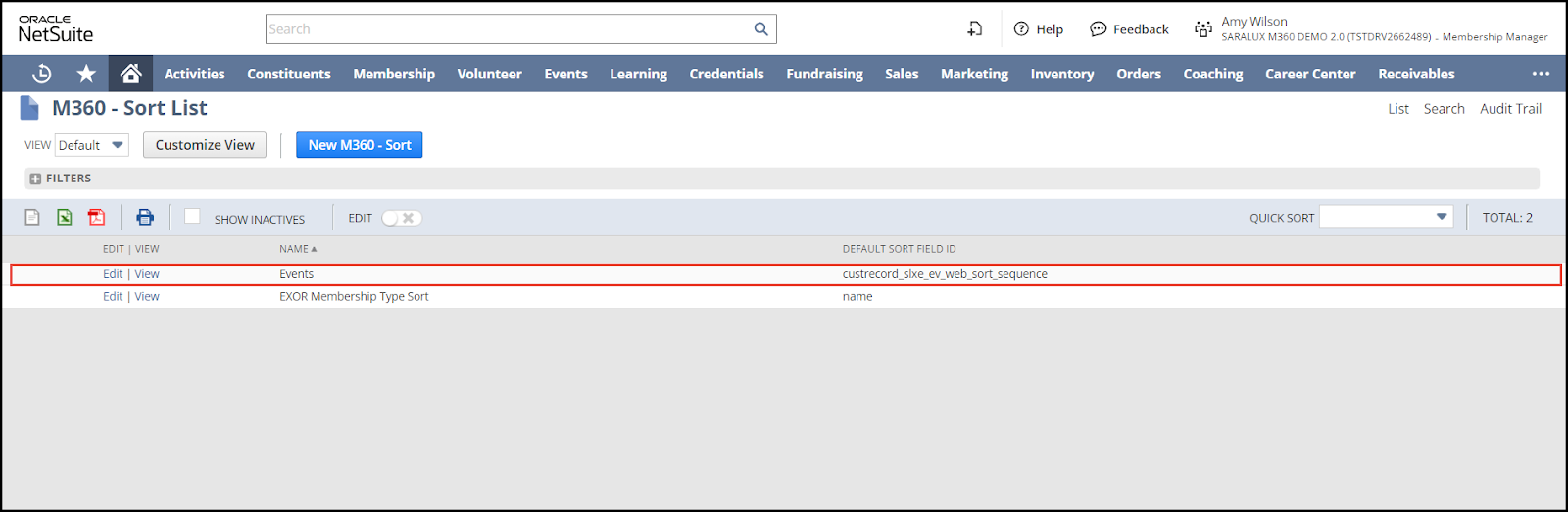
You can update or view in detail the event added to the list by clicking on Edit/View in the desired sort field row.