
 Home
Home
How to Setup an Engagement Flag?
To configure an engagement flag, follow the steps below.
1. Navigate to Fundraising > Setup > Engagement Flag.
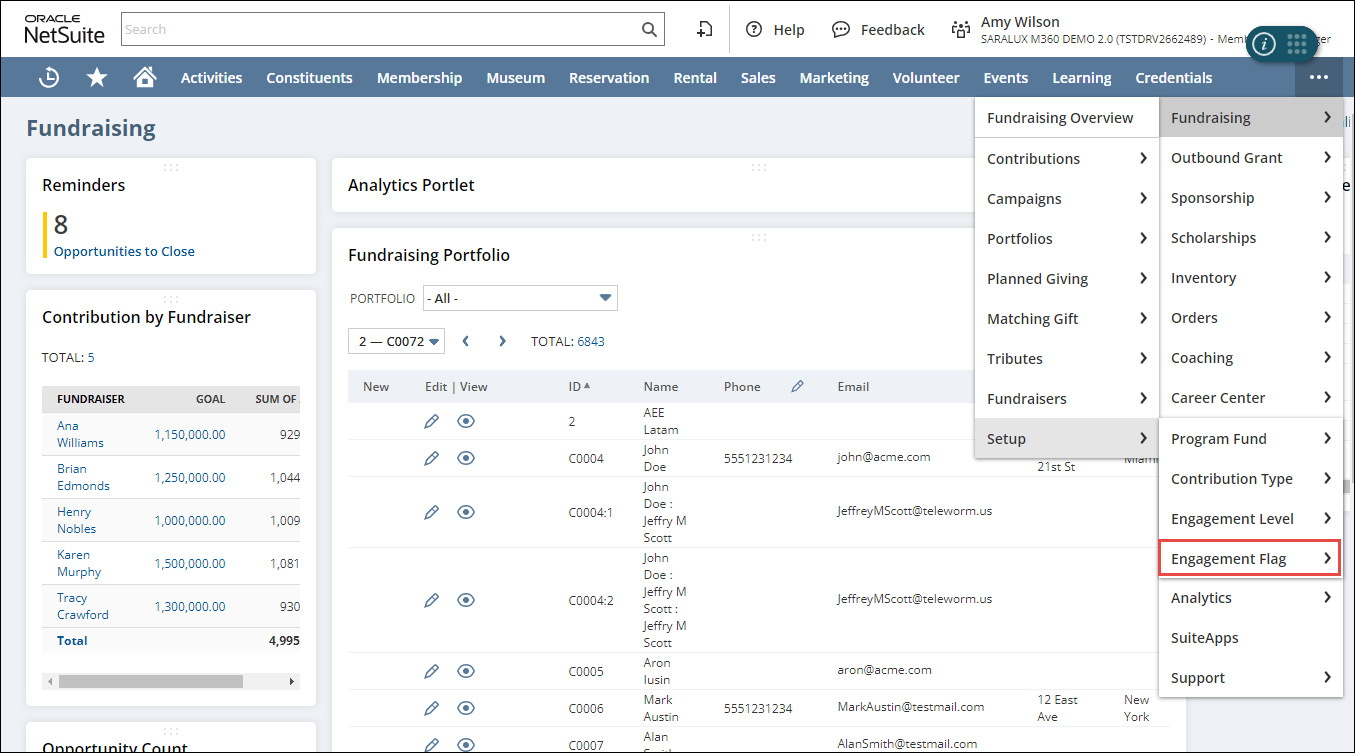
The Engagement Flag List page is displayed.
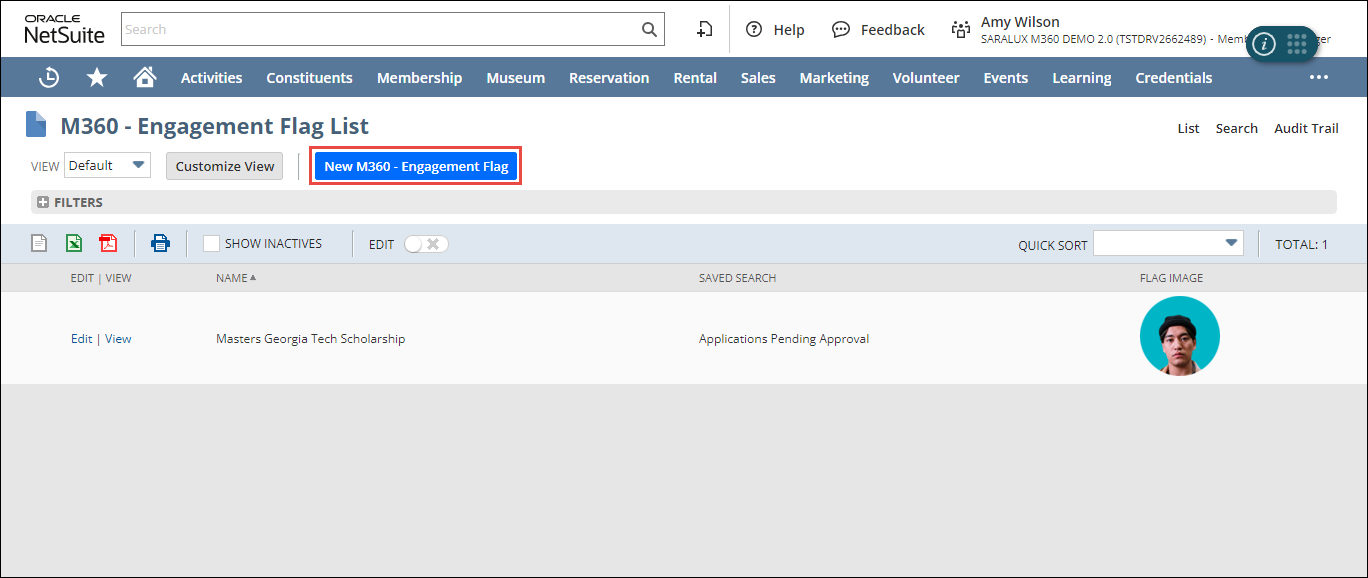
2. Click New M360 - Engagement Flag.
The M360 - Engagement Flag form is displayed.
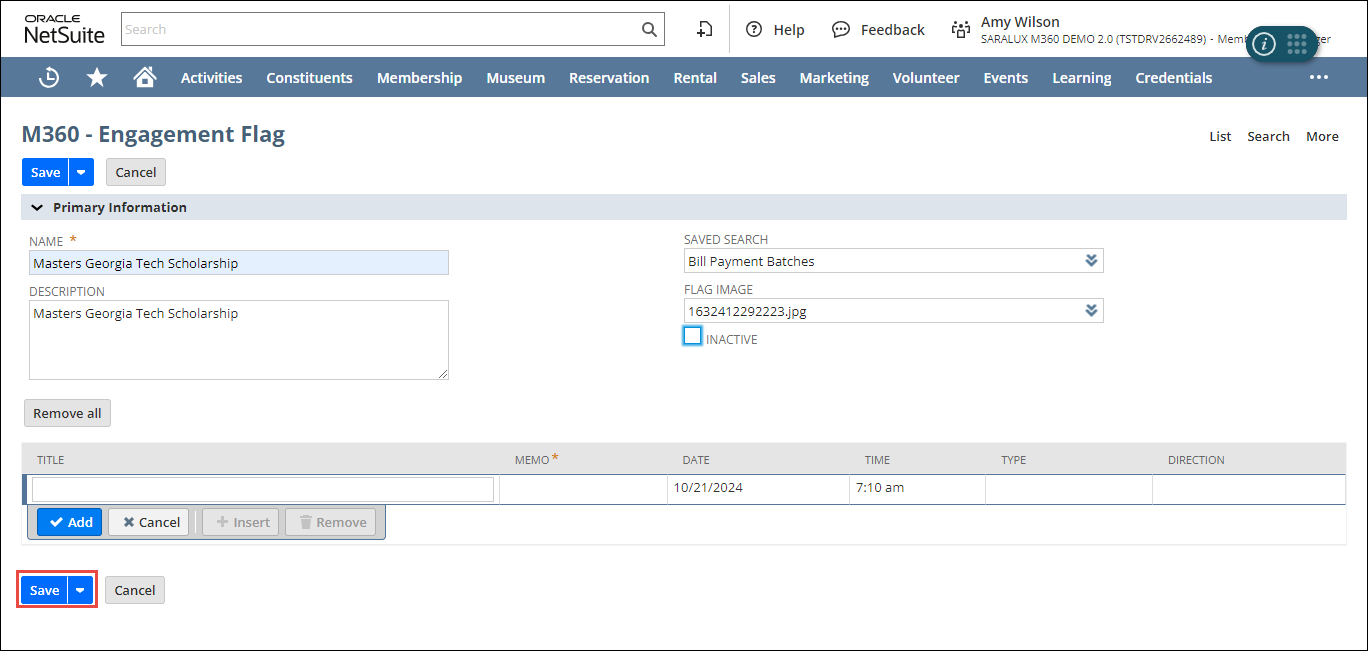
Note: All the fields with an asterisk (*) are mandatory.
3. Enter or select the values of the fields as required.
Please refer to the following table for field names and their descriptions.
|
Field
|
Description
|
|
NAME
|
Name of the engagement flag
|
|
DESCRIPTION
|
Detailed overview regarding the engagement flag
|
|
SAVED SEARCH
|
Data resulting from search query predefined by the logged-in user to access relevant data without requiring to search for it each time
|
|
FLAG IMAGE
|
Image displayed in the engagement flag
|
|
INACTIVE
|
Whether to deactivate this engagement flag
|
4. Click Save.
The engagement flag is added to the list.
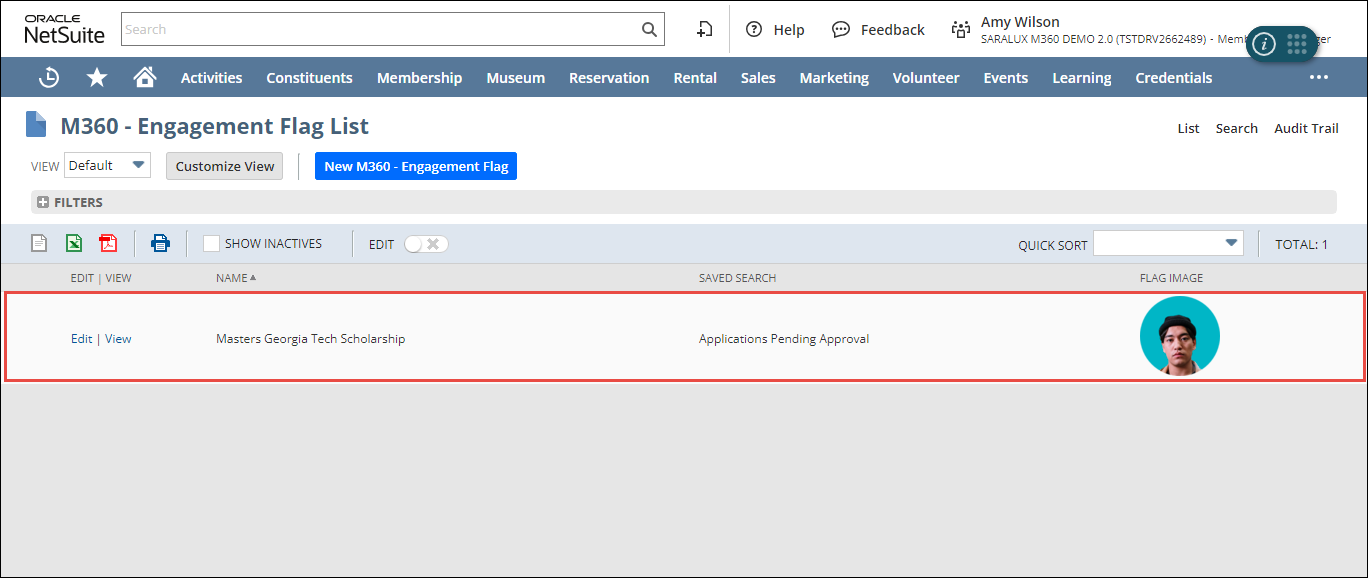
Note: You can update or view the engagement flag details by clicking Edit/ View in the desired row.