
 Home
Home
How to Create a Tribute?
To create a tribute, follow the below steps.
1. On the Tribute List page, click New M360 - Tribute.
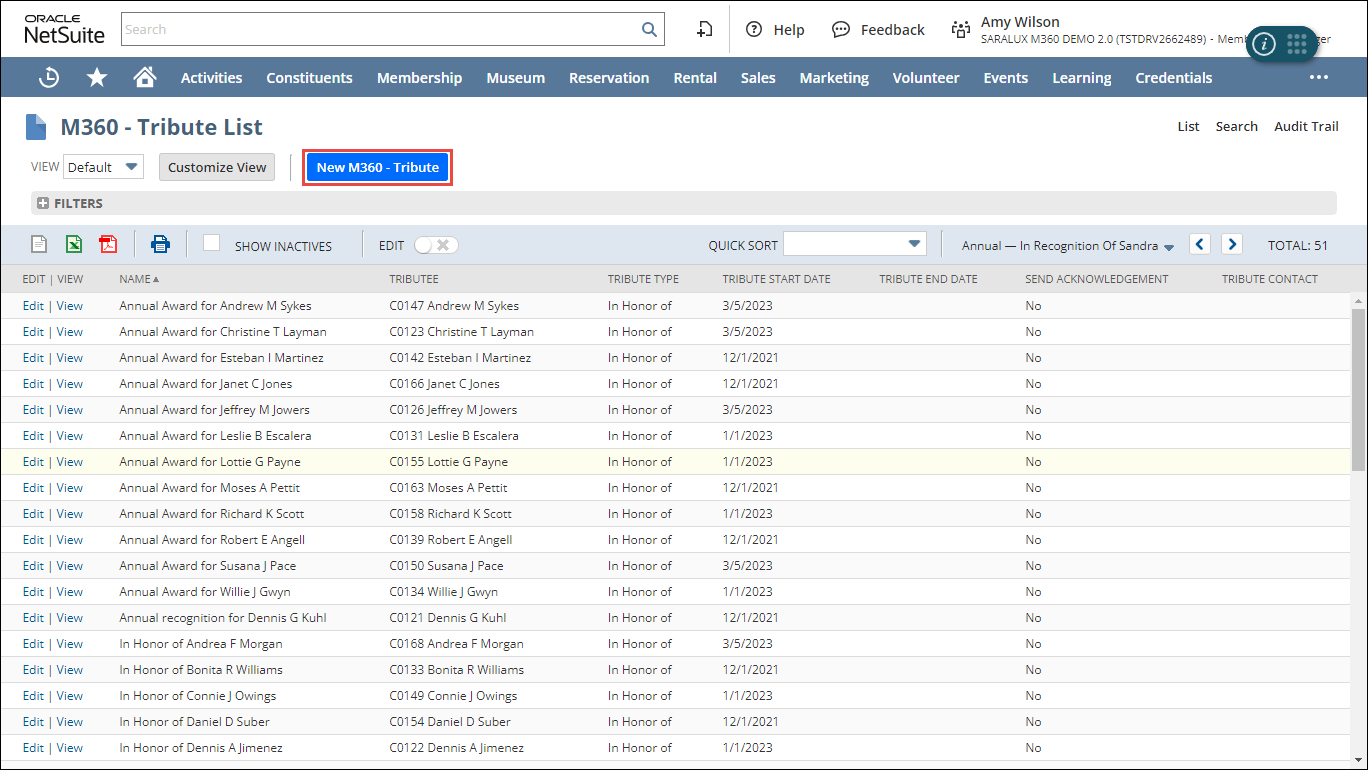
The M360 - Tribute form is displayed.
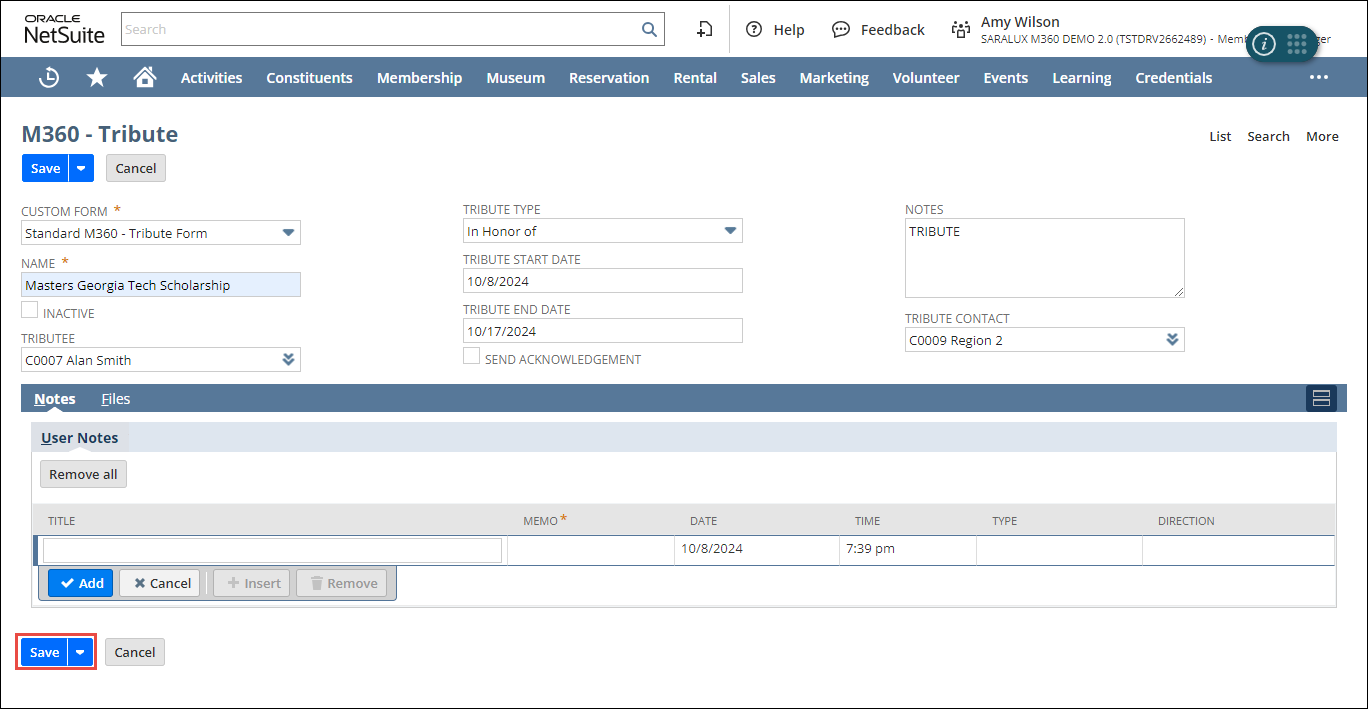
2. Enter or select the values of the fields as required.
Please refer to the following table for field names and their descriptions.
|
Field
|
Description
|
|
CUSTOM FORM
|
Preferred options available to customize the Tribute form
By default, the M360- Tribute Form is selected.
|
|
NAME
|
Name of the tribute
|
|
INACTIVE
|
Whether to deactivate this tribute
|
|
CONSTITUENT
|
Individual or entity associated with this tribute
|
|
TRIBUTE CONTACT
|
Individual to contact regarding the tribute
|
|
TRIBUTE TYPE
|
Type of tribute
The avaiable options are
|
|
START DATE
|
Date the tribute starts being recognized
|
|
END DATE
|
Date the tribute ends
|
|
SEND ACKNOWLEDGEMENT
|
Whether to send an acknowledgment
|
|
NOTES
|
Additional information related to the tribute
|
3. Click Save.
The tribute is added to the list.
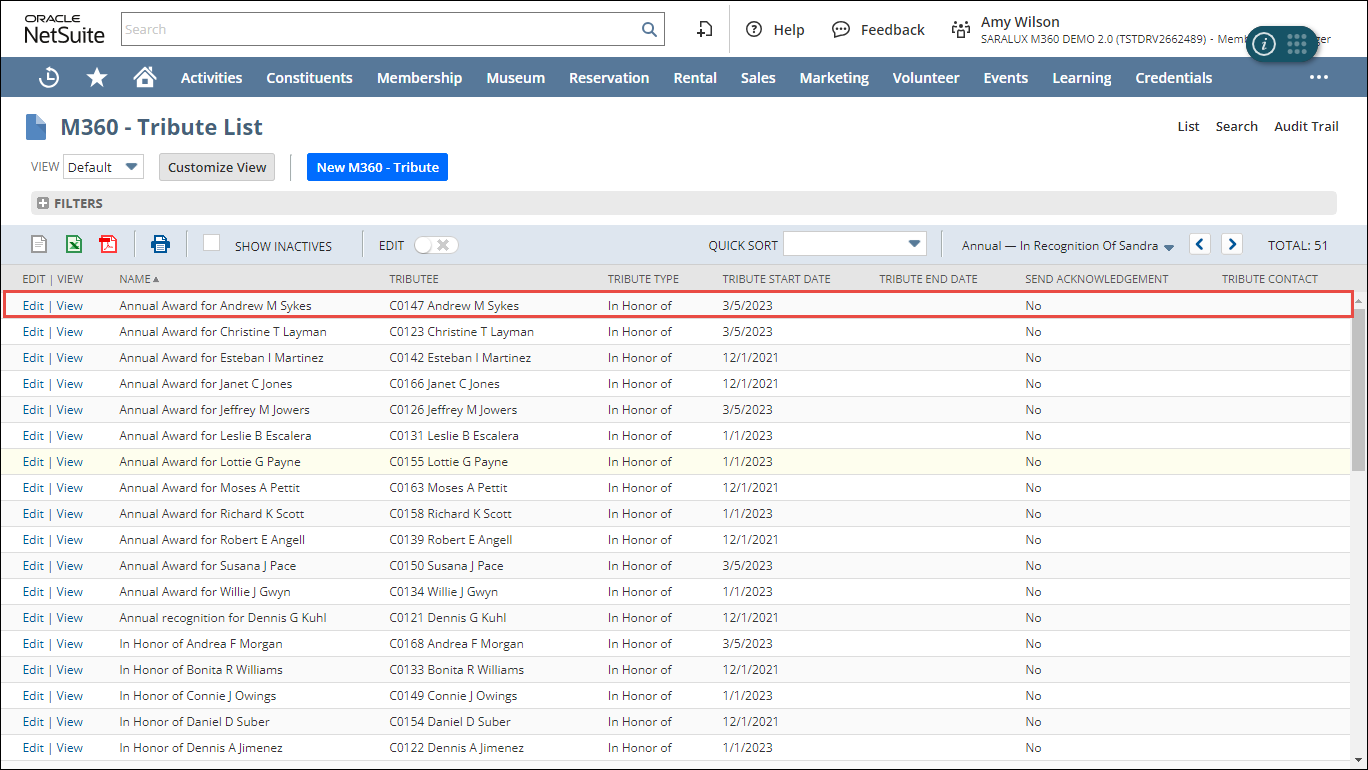
Note: You can update or view the tribute details by clicking Edit/ View in the desired row.